November 2026 Improvements

Fixes

This release addresses specific issues reported by users, helping ensure smoother operations across booking management, integrations, invoicing, calendar synchronization, messaging, and smart device functionality.

1. Booking Management & Reviews

Review Exclusion Flag

A user reported that an automated review was posted to Airbnb despite the Exclude Review flag being enabled for the booking. The review automation now respects the exclusion setting.

Smart Lock Access for Cancelled Bookings

Following a user report, access code creation for cancelled bookings has been restricted. Users can no longer create smart lock codes for cancelled reservations.

2. Calendar & Availability

Calendar Interface

A user reported that the calendar interface became blocked, preventing normal interaction. The issue has been addressed.

iCal Export

An issue reported by a user caused manually created calendar blocks to have an empty UID field in exported iCal files for his user account only. The export now includes the required UID.

Rental Mapping & Availability Synchronization

An issue affecting one user's account caused availability updates to be lost when a rental was not mapped correctly, potentially resulting in double bookings. The mapping and synchronization issue has been addressed.

3. Invoicing & Messaging

Scheduled Invoices

Few users reported that invoices scheduled through the Send Later option were occasionally sent immediately instead of on the selected date. This particularly affected some Booking.com non-refundable reservations. The scheduling behaviour has been corrected.

Booking Widget Email Notifications

A user reported that booking widget messages were marked as delivered but were not received via email. The email delivery issue has been addressed.

Add Message Button

A user reported that the Add Message button was not clickable. The button functionality has been restored.

4. Channel Integrations & Connectivity

Booking.com Listing Creation

A user encountered an account restriction error while attempting to create a listing on Booking.com. The reported issue has been reviewed and addressed through the appropriate support handling.

GVR Booking Engine Connection

A user reported an error when connecting their Booking Engine website with GVR. The connection issue has been addressed for his user account.

Rentals United Connection

A user reported being redirected to the login page when attempting to connect with Rentals United. The connection flow has been corrected.

5. Smart Devices & Rental Settings

Smart Device Synchronization

Smart device synchronization errors reported across a few user accounts have been addressed.

Wi-Fi Password Saving

A user reported that leading zeros in Wi-Fi passwords were being removed when saving rental details. Passwords now retain their original formatting, including leading zeros.

Improvements:

1- Rate Preview & Rates Calendar Access

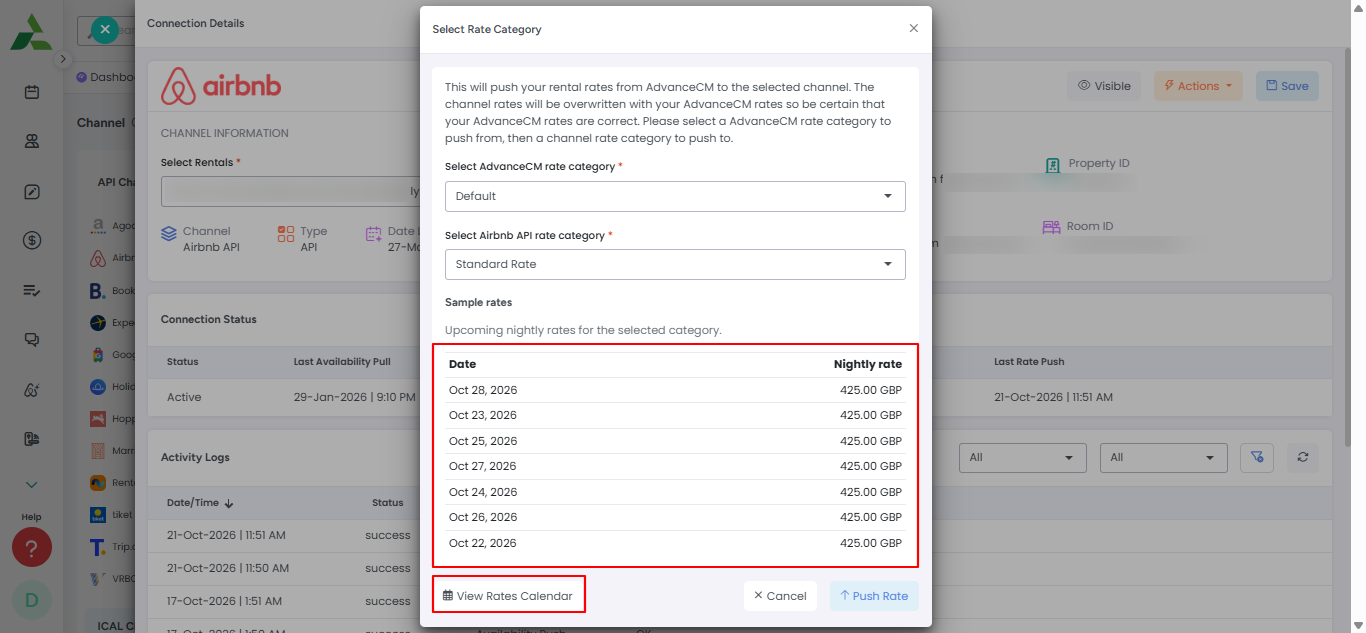
Managing channel rates is now more transparent and convenient.

  • Rate Preview: When pushing rates to any channel, selecting Rate Categories displays sample rates that are about to be synchronized with the respective channel.

  • View Rates Calendar: Use the View Rates Calendar button to navigate directly to the selected rental's Calendar tab, where you can quickly review all its rates.

These options help users verify pricing before synchronization and conveniently access the complete rental rate calendar.
2- Smart Locks – Code Activation & Deactivation Timing

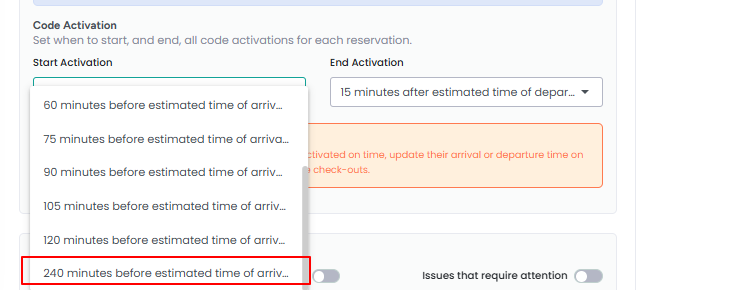
A new 240-minute (4-hour) option is now available for smart lock code scheduling.

Users can configure access codes to activate or deactivate 240 minutes before or after the estimated check-in or check-out time, providing greater flexibility in managing guest access.
3- Inquiries – New Data Dictionary Tokens

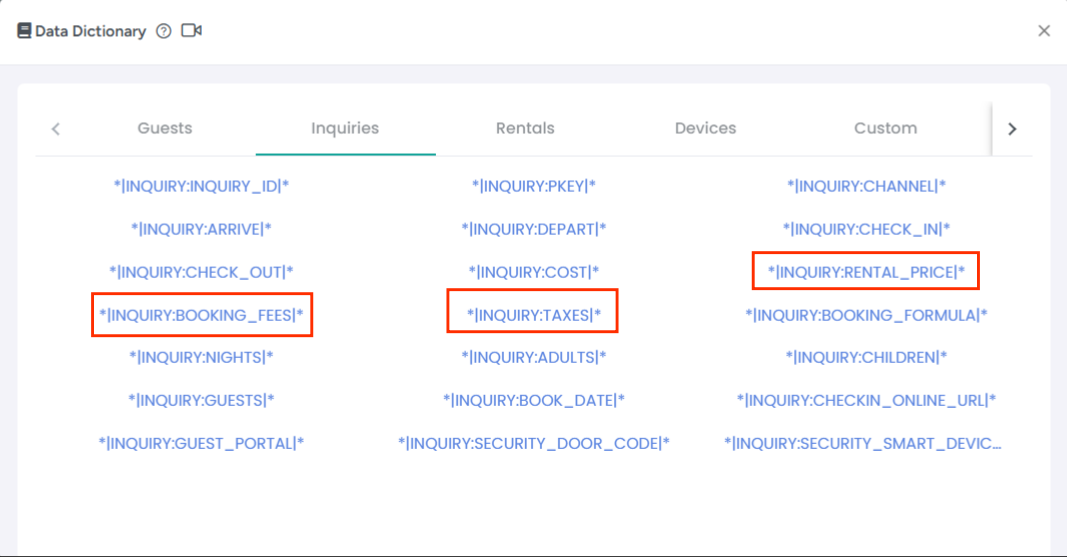
New Data Dictionary tokens are now available under the Inquiries module for:

  • Cleaning Fee

  • Tourist Tax

  • Rental Base Price

These tokens can be used in customized templates and communications to dynamically populate the corresponding pricing details from an inquiry.
4- Multi Calendar – Hide Rates Option

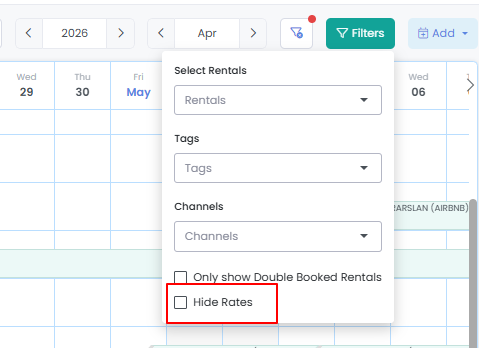
A new Hide Rates option is now available in the Multi Calendar.

Users can hide rate information from the calendar view when they want to focus on booking availability and reservation management, providing a cleaner and less cluttered calendar interface.
5- Pricing Rules – Monthly & Weekly Discount Fields

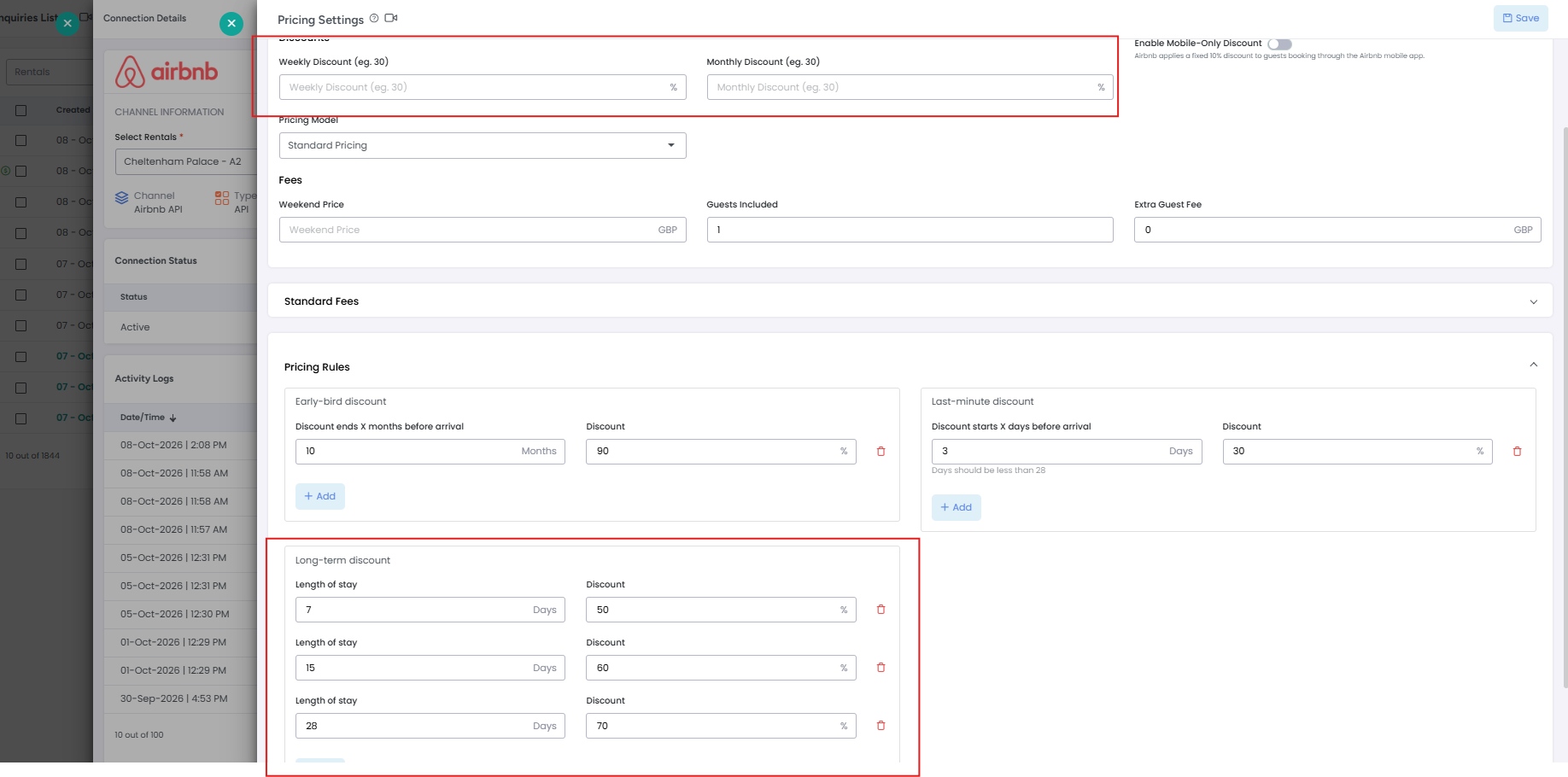
The Monthly Discount and Weekly Discount fields should now be read-only.

  • Discount values will be automatically copied from the corresponding fields configured under Pricing Rules.

  • Users will not be able to manually edit these values from the respective screen.

  • Any changes made to Monthly or Weekly Discounts in Pricing Rules should be reflected automatically in these fields.

This ensures consistent discount values across the system and prevents conflicting pricing configurations.
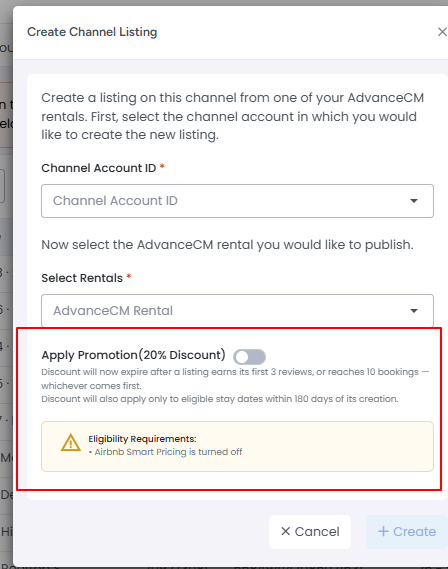
6- Airbnb – New Listing Promotion Criteria Update

The New Listing Promotion criteria have been updated in the frontend to reflect Airbnb's revised eligibility rules.

Updated Promotion Conditions:

  • Review & Booking Limit: The promotion will expire once a listing receives its first 3 reviews or reaches 10 bookings, whichever happens first.

  • 180-Day Eligibility Window: The discount will only apply to eligible stay dates falling within 180 days of the listing's creation date.

These updates ensure that the promotion criteria displayed in the system accurately reflect Airbnb's latest requirements.
7- House Staff Role – Notes Access & Permissions

House Staff users can now access the Notes section and add notes.

What's Included:

  • House Staff users can view existing notes.

  • House Staff users can add new notes.

  • This allows house staff to communicate important rental-related updates and information through the Notes section.
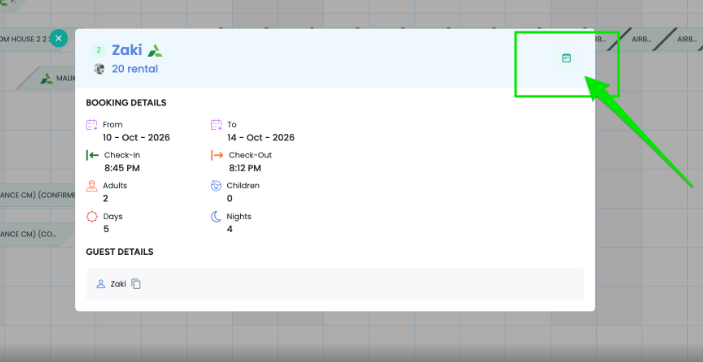
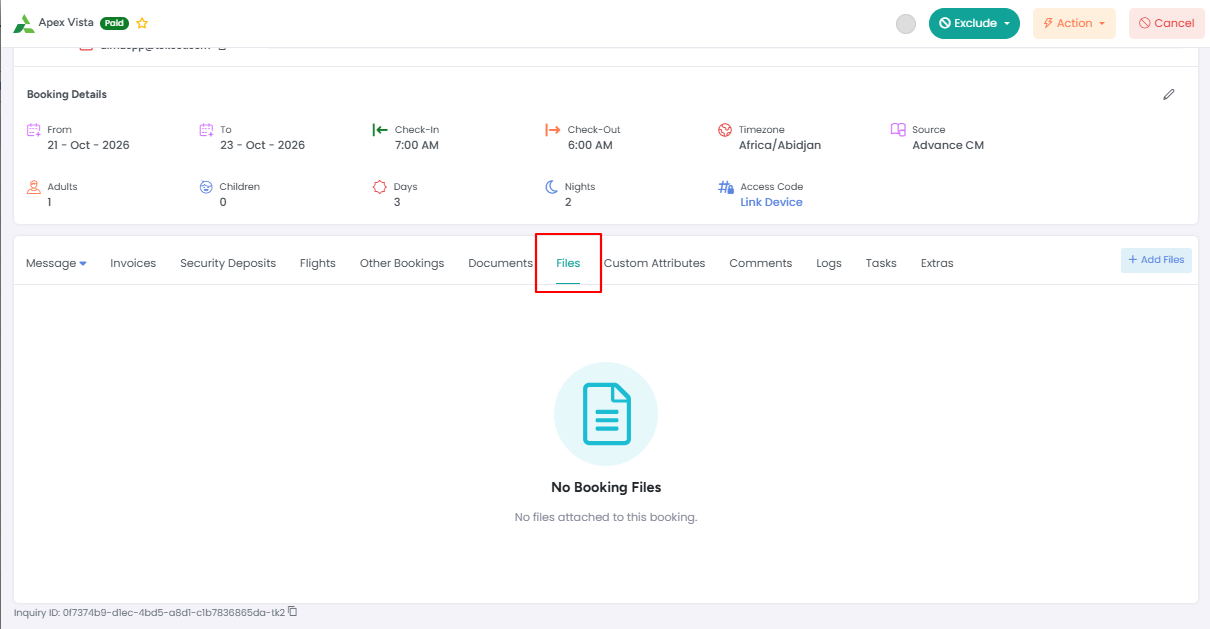
8- Booking Detail Overlay – File Upload

Users can now upload files directly within the Booking Detail Overlay.

This allows users to attach and manage booking-related documents in one place, making it easier to keep important files accessible alongside booking information.
October 2026 Improvements

Fixes

As part of our ongoing commitment to quality and responsiveness, we’ve addressed a number of issues reported by a few users in specific scenarios. These updates ensure a smoother, more reliable experience across the platform.

  1. Automation Logs: Fixed an issue preventing users from searching logs by rental.

  2. Booking.com Messaging: Fixed an issue causing welcome messages triggered by Inquiry Created and Booking Confirmed to fail for a user account.

  3. Booking.com Reservations: Fixed an issue where reservation date changes were not imported into AdvanceCM for an affected user account.

  4. Channel Connections: Updated the channel details overlay to automatically refresh when a new connection is added, ensuring the connection status displays correctly.

  5. Trip.com: Fixed an issue causing some hotels to be silently removed from the Channels list for limited user accounts.

  6. Agoda Availability Sync: Resolved an availability synchronization issue reported by a user.

  7. Booking.com Reviews Service: Fixed unnecessary daily import retries for properties that were inaccessible, improving retry handling.

  8. Channel Restrictions: Fixed an issue where check-in/check-out restrictions were being overridden on Booking.com, Expedia, and Airbnb for a user account.

Improvements:

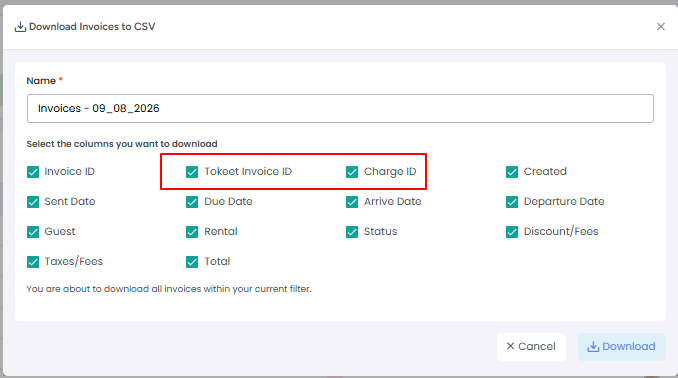
1- Invoices: Added Tokeet Invoice ID and Charge ID to invoice details for improved payment tracking and reconciliation.

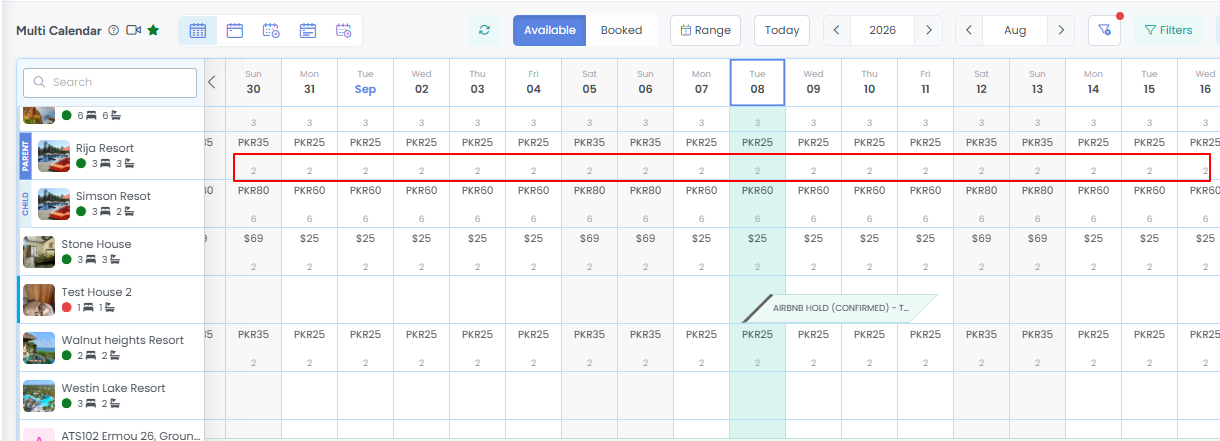
2- [Multi Calendar]: Added the minimum nightly price alongside the rate for easier rate visibility.

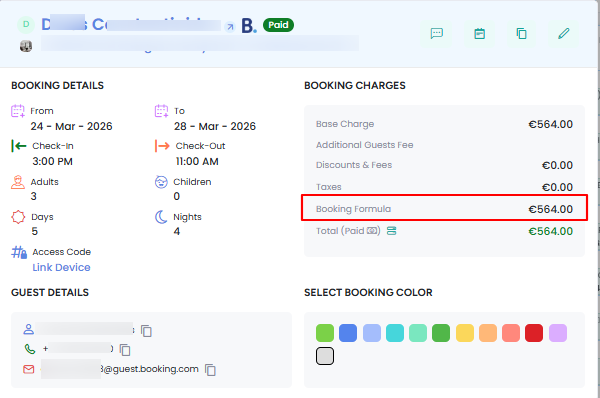
3- Calendar Booking Popup: Added the booking formula total alongside the booking total for better pricing transparency.

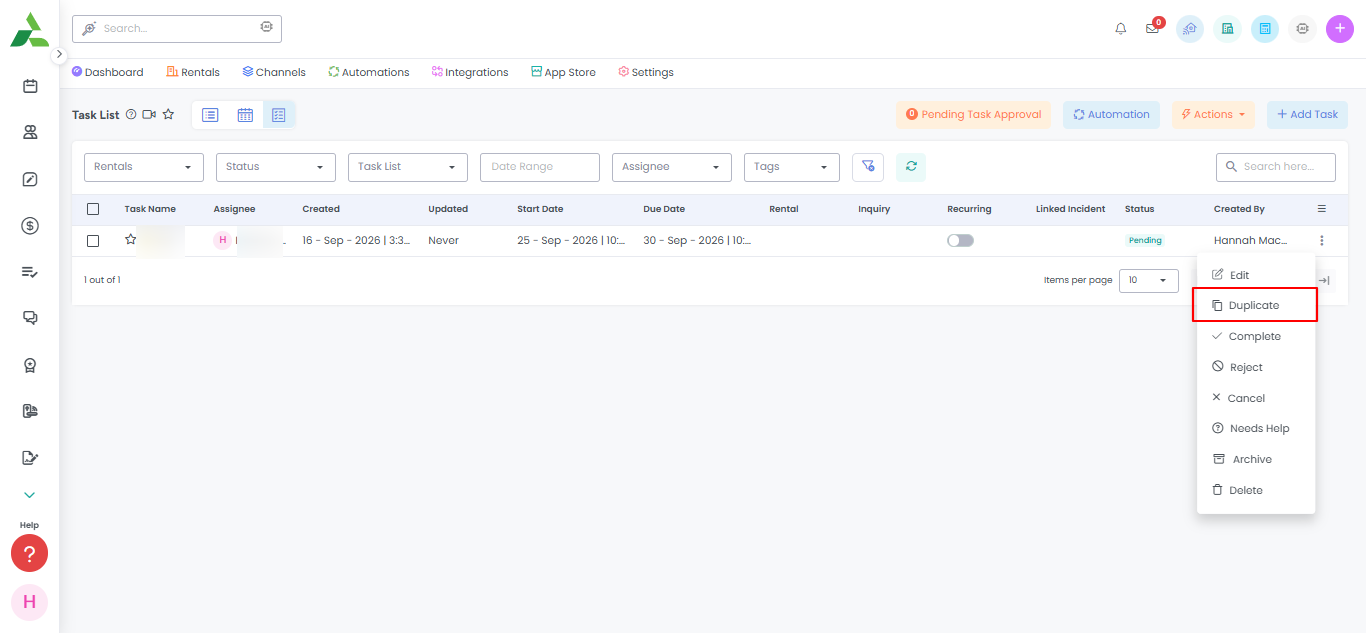
4- Tasks Module: Added the ability to clone existing tasks, making it easier to create similar tasks without entering details from scratch.

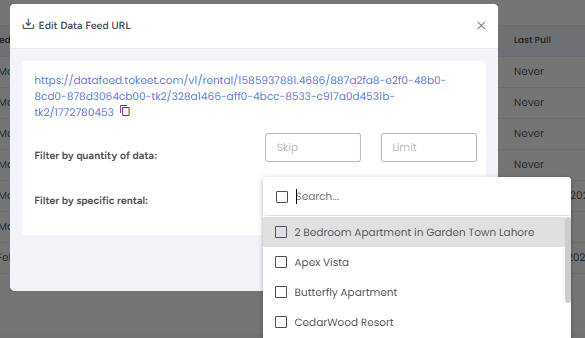
5- Rental Data Feed: Added filtering options to view data for a specific rental or all rentals.

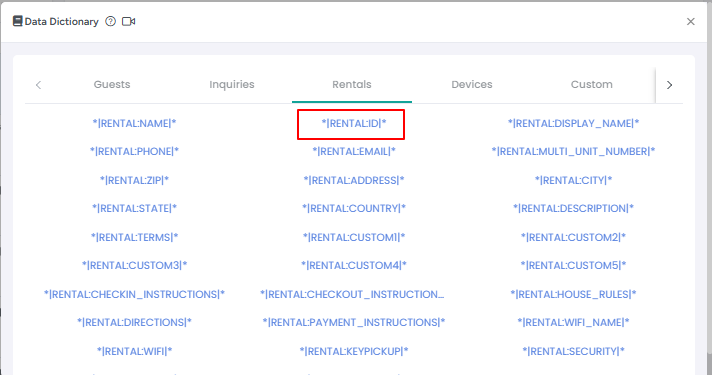
6- Rentals – Data Dictionary: Added a rental ID data token to the Rentals section of the Data Dictionary, making it easier to reference rental IDs in templates and automations.

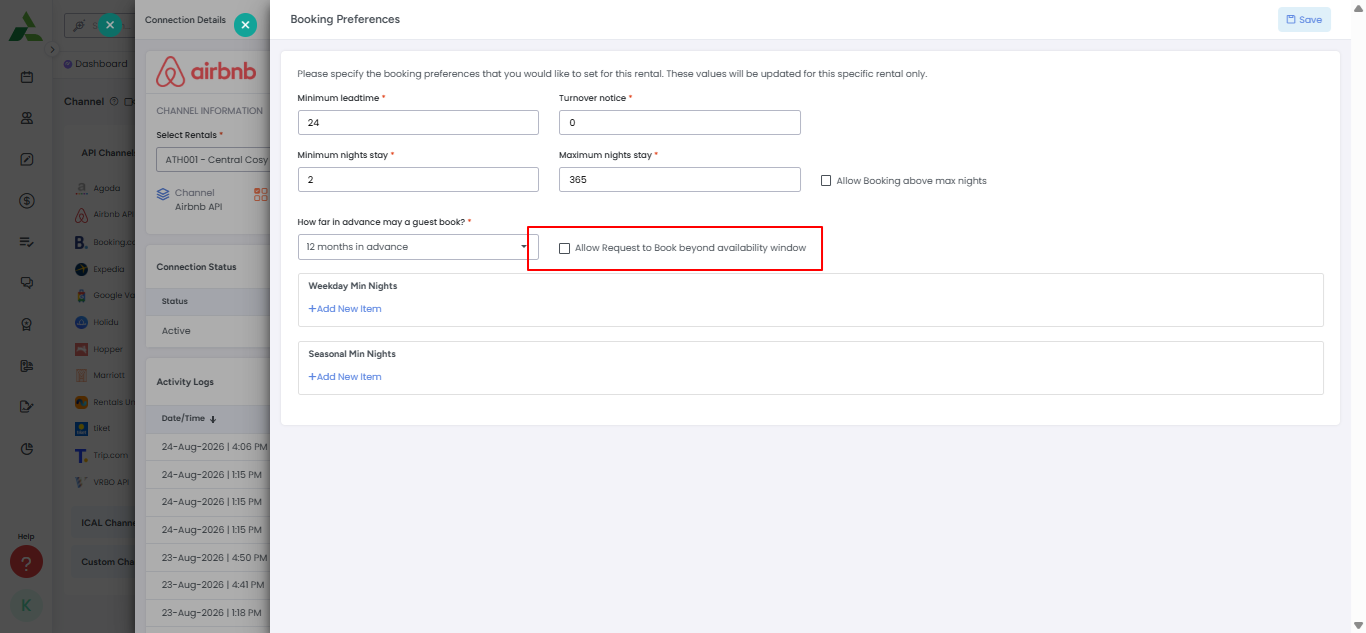
4- Airbnb Extended Availability Window

Partners can now extend Airbnb availability beyond the standard booking window by allowing guests to submit Request to Book (RTB) requests for future dates. This enables partners to capture additional demand from guests booking further in advance while retaining control over longer-term reservations through manual approval.

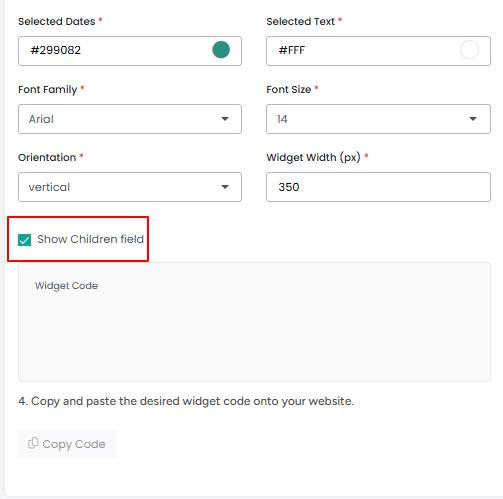
5- Booking Widget – Children Field: Added a setting to hide the Children guest field, allowing greater flexibility for adults-only properties.

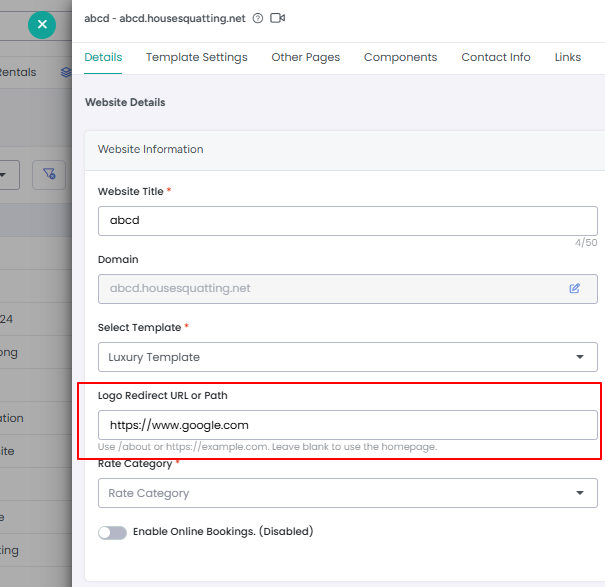
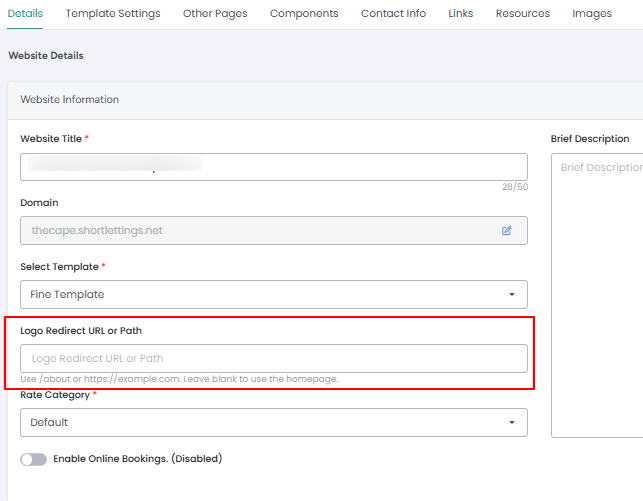
6- Website Logo – Custom Redirect URL: Added support for a custom redirect URL when clicking the website logo, allowing users to define where visitors are redirected.

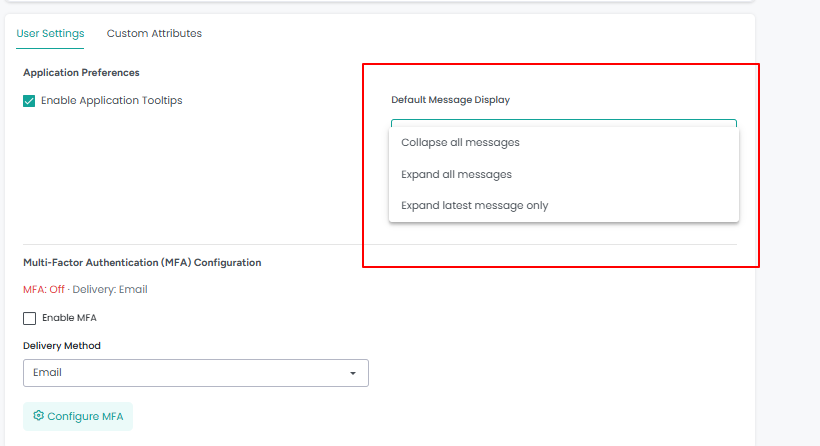
7- Inbox – Message Display Settings: Added settings to automatically collapse or expand Inbox messages, giving users more control over their messaging view.

8- Website & Booking Engine – Custom Logo Redirect: Added support for custom redirect URLs for both the website logo and booking engine logo, allowing users to control where visitors are redirected when clicking either logo.

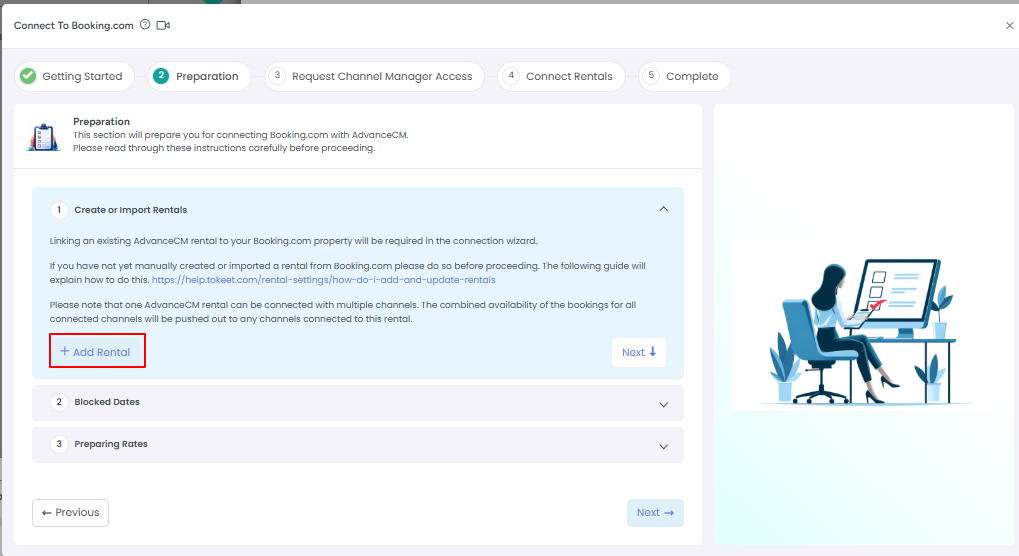
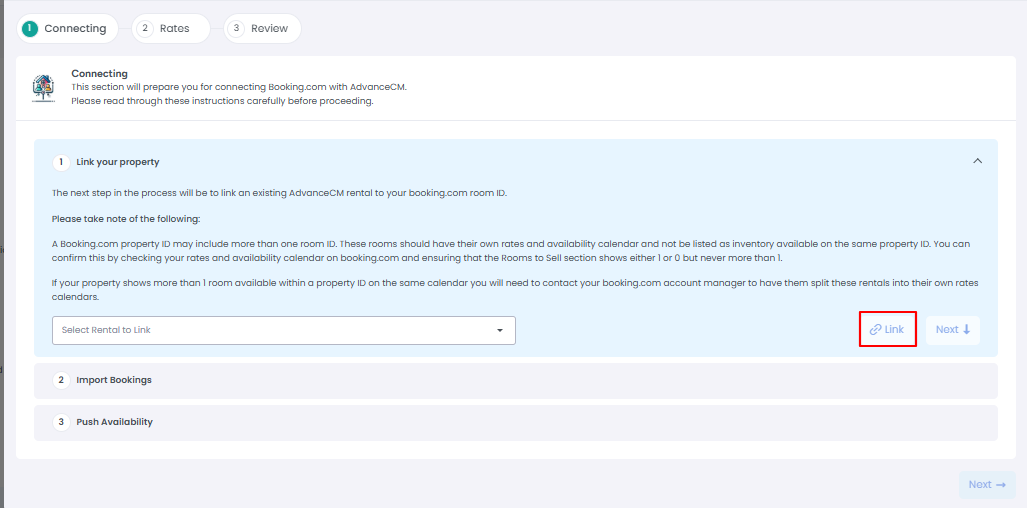
9- Booking.com Connection Wizard – Add Rental Shortcut: Updated Step 2 of the Booking.com connection wizard to check whether the account contains any rentals. If no rentals are available, an Add Rental button is displayed in the first tile to help users proceed with setup.

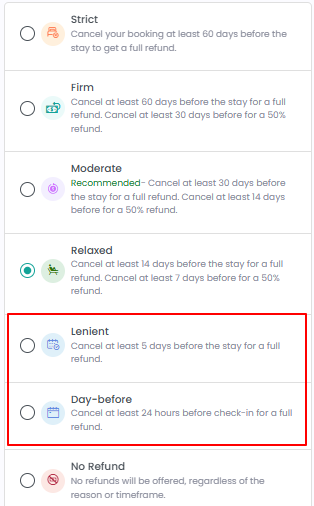
10- VRBO – New Cancellation Policies: Added support for the Day-before and Lenient cancellation policy options to provide additional flexibility when configuring VRBO listings.

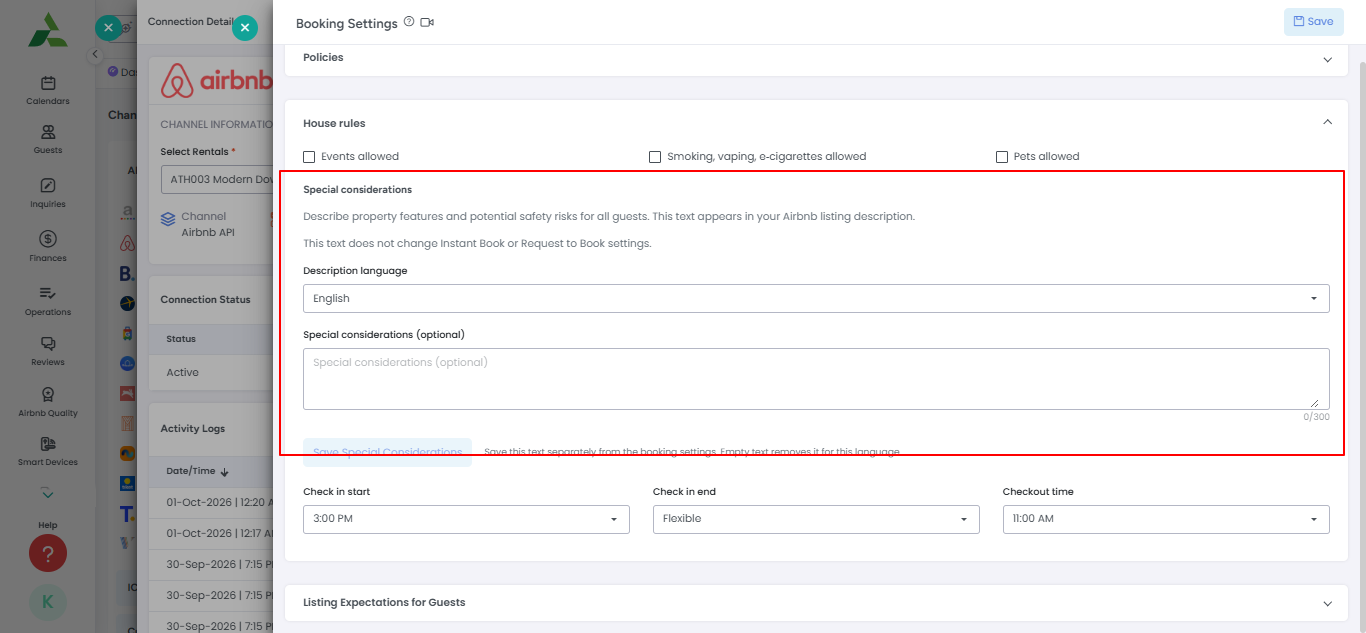
11- Airbnb – Special Considerations Update: Removed the deprecated allows_children_as_host, allows_infants_as_host, and children_not_allowed_details fields from AdvanceCM following their removal from Airbnb’s API. These fields have been replaced by the new Special Considerations section.

12- Inquiry Tags – Delete Old Tags

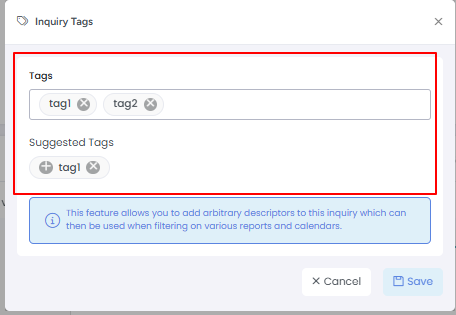
Users can now delete inquiry tags from anywhere they are used, making it easier to clean up outdated or unused tags and keep tag lists organized.


Holded.com Integration — VeriFactu Support for Spanish Customers

We’re excited to introduce our new Holded.com integration, designed specifically to help Spanish property managers streamline their invoicing workflow and prepare for VeriFactu compliance.

With the integration, you can connect your Holded.com account with AdvanceCM and sync your invoices directly to Holded.

How it works:

  • 🏠 Create and manage invoices in AdvanceCM as part of your property management workflow.

  • 🔄 Sync invoice data from AdvanceCM to Holded.com.

  • 🔄 Automatically sync invoice updates when changes are made in AdvanceCM.

  • 🖱️ Manually sync invoices whenever needed.

This integration allows AdvanceCM to work alongside Holded, giving Spanish property managers a connected workflow for managing rental invoices while using Holded for their local invoicing and VeriFactu compliance requirements.

Important: Once an invoice has been approved in Holded, further changes made to the invoice in AdvanceCM cannot be synchronized to the approved Holded invoice.

Learn more about this integration here.

September 2026 Improvements

Fixes

As part of our ongoing commitment to quality and responsiveness, we’ve addressed a number of issues reported by a few users in specific scenarios. These updates ensure a smoother, more reliable experience across the platform.

1- Signed Contract Recipient

Fixed an issue where a signed contract was incorrectly shown as being sent to the guest. The contract is now correctly shown as being sent to the user.

2- Duplicate Guest Message Notifications

Fixed an issue where automations triggered by the message.create event could send duplicate email and SMS notifications when a guest sent a message through AdvanceCM.

In some cases, users were receiving 2–3 copies of the same notification. We also fixed an issue where Notify User SMS automations could incorrectly route messages to guests instead of the configured users.

3- Security Deposit Currency

Fixed an issue where the wrong currency could be displayed or used when processing a security deposit through automation.
4- Booking.com Rental Connection

Fixed an issue where newly added rentals were not being connected to Booking.com for users who had already connected Tokeet through the Booking.com Extranet.

This was caused by a backend change and has now been resolved.

5- Expedia Booking Automation Emails

Fixed an issue where a user account was not receiving confirmed booking automation emails for Expedia reservations.

6- Invoice Preview Formatting

Fixed an issue where formatting was lost in Invoice Preview for one user account. Invoice formatting is now displayed correctly.

7- Airbnb Guest Count

Fixed an issue affecting few cases of Airbnb API bookings where the guest count stored in Tokeet (num_adults / num_child) could differ from the guest count reported by Airbnb.

Guest counts are now synchronized correctly with Airbnb data.

8- Roll Forward Not Triggering in Some Cases

We fixed an issue where Roll Forward was not being triggered in certain scenarios.

9-VRBO Sync: Bathroom Type Settings Preserved

We fixed an issue where Bathroom Type settings in AdvanceCM were being overwritten during each VRBO sync.

Bathroom configurations such as Shower and Shower + Bathtub will now remain consistent after subsequent syncs with VRBO.

10. Planning Calendar Bookings in Safari

We fixed an issue where bookings were not displaying correctly in the Planning Calendar when using Safari.

The Planning Calendar now displays bookings correctly across supported browsers, including Safari and Google Chrome.

Improvements:

1- Automatic Compaction for Multi-Unit Rentals

We’ve introduced Compaction in AdvanceCM Multi Unit to help optimize how bookings are assigned across units.

Compaction rearranges bookings so they occupy the fewest units possible, freeing up complete units for future bookings.

Main features:

  • 🔄 Rearrange bookings where possible

  • 📦 Pack bookings together efficiently

  • 🏠 Free up entire units

  • 🚫 Reduce the risk of unnecessary availability fragmentation

This makes better use of your available units and helps maximize availability for new bookings.

Learn more about this feature by clicking this help article

2- Tooltip for Manage Tags in Guests Module

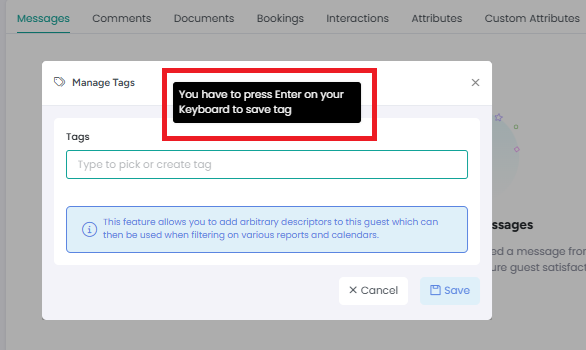
A new tooltip has been added to the Manage Tags option in the Guests module.

Go to Guests → Guest Details → Manage Tags to view the tooltip and better understand the available option.

3- Recurring Filter in Expenses List View

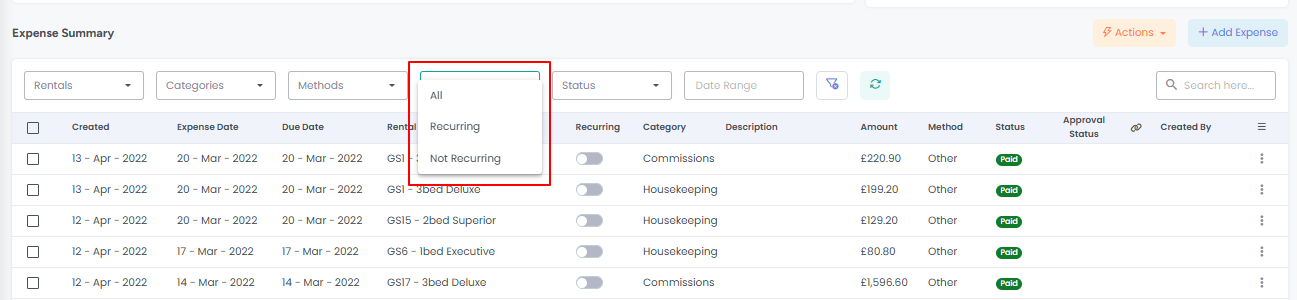
A new Recurring filter has been added to the Expenses List View.

You can now filter expenses based on whether they are marked as Recurring, making it easier to find and manage recurring expenses.

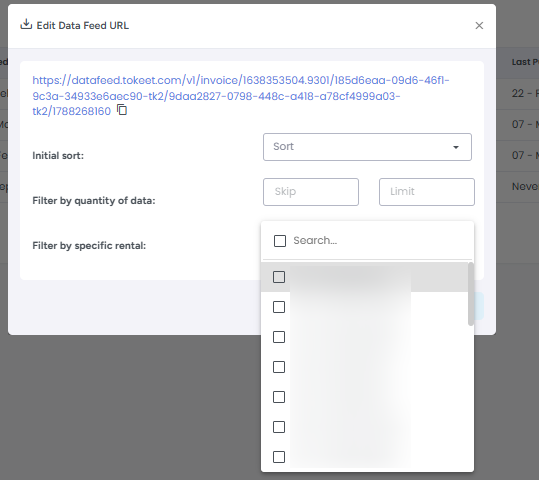
4- Rental Field in Invoice Data Feed

The Rental field in the Invoice Data Feed is now available as a multi-select option.

You can now select multiple rentals when configuring the Invoice Data Feed, making it easier to manage invoice data for multiple rentals.

6- Updated Amenity Options

We’ve updated the Airbnb amenities available in the Rental section.

New amenities have been added and existing amenity names have been updated to better align with Airbnb’s current amenity requirements and options.

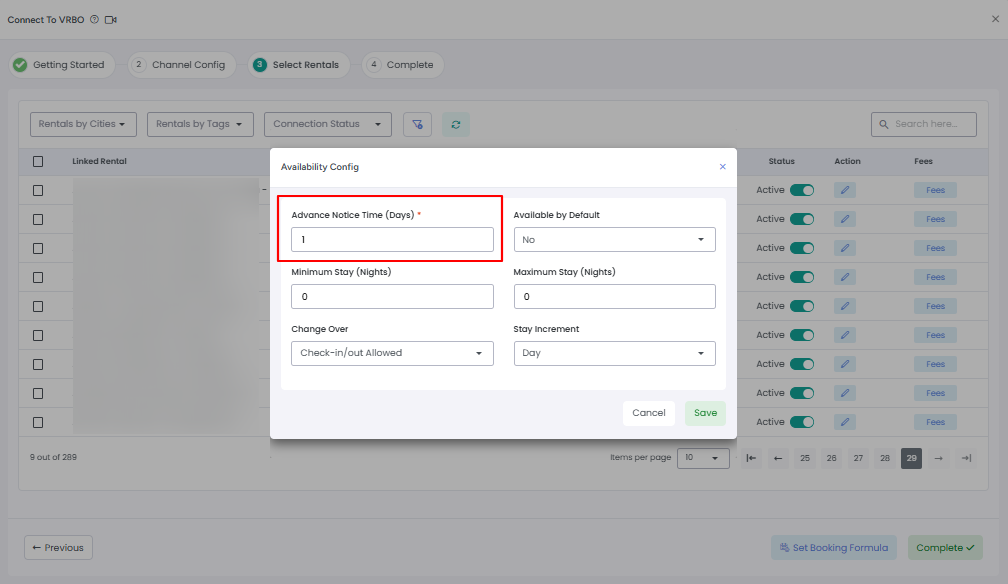
7- VRBO: Edit Advance Booking Notice

You can now edit the Advance Booking Notice period directly in AdvanceCM for VRBO-connected rentals.

This makes it easier to manage how far in advance guests can make bookings without needing to update the setting separately in VRBO.

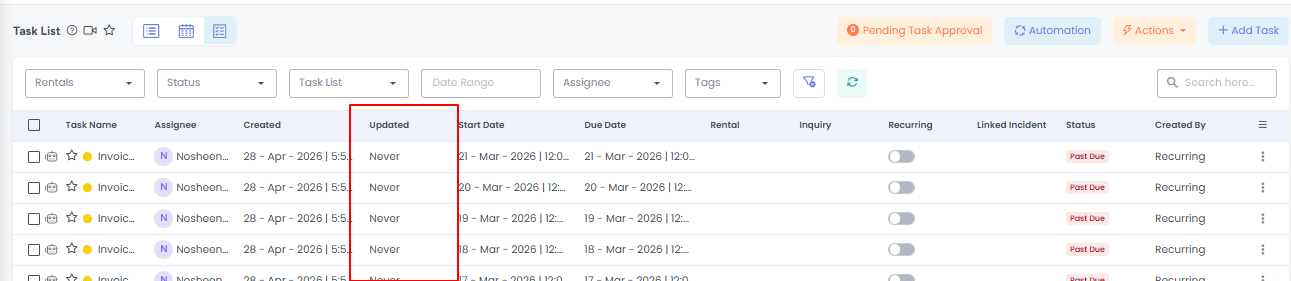
8- Introduced“Updated” Column in Tasks

A new Updated column has been added to the Tasks module.

This column shows when each task was last updated, making it easier to track recent changes and keep task activity organized.

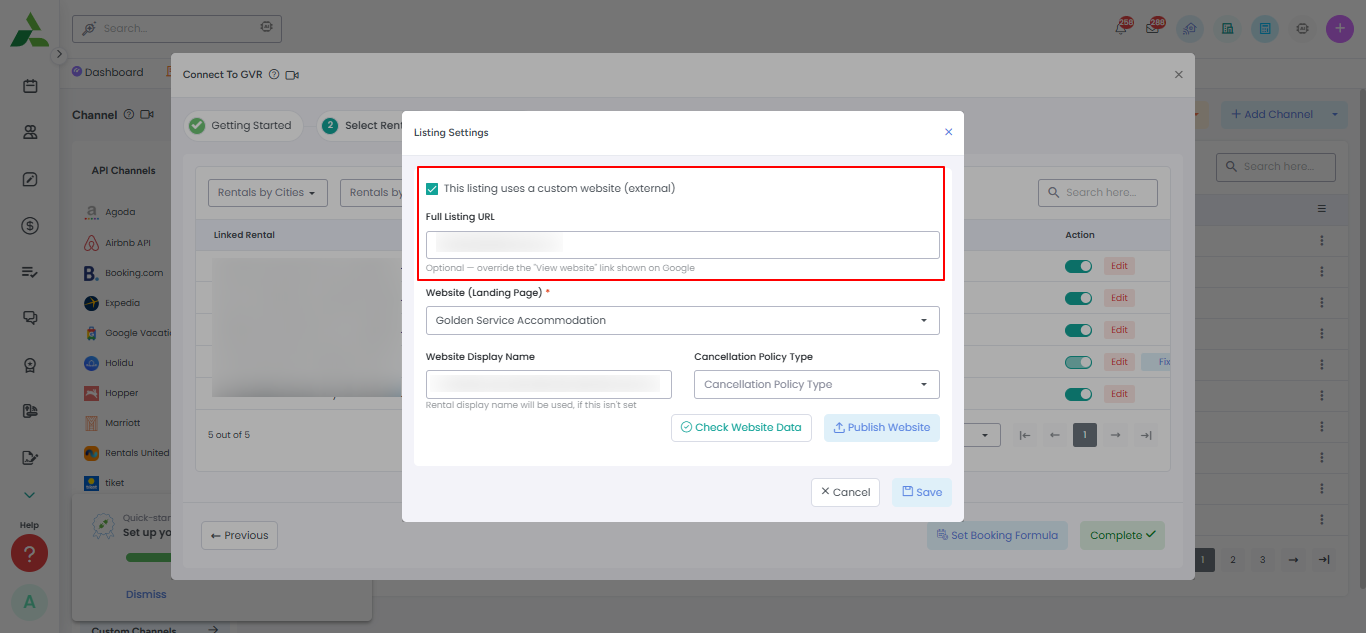
9- Improved: Google Vacation Rental Custom Website Support

We improved the Google Vacation Rental settings by making the Custom Website Support checkbox available by default.

The checkbox will no longer depend on the selected website from the dropdown, making the option easier to access and configure.

10- Improved: Account Info Screen

The Preferences button has been removed from the Account Info screen.

All preference settings are now displayed directly on the same screen, making them easier to access and manage without navigating to a separate section.

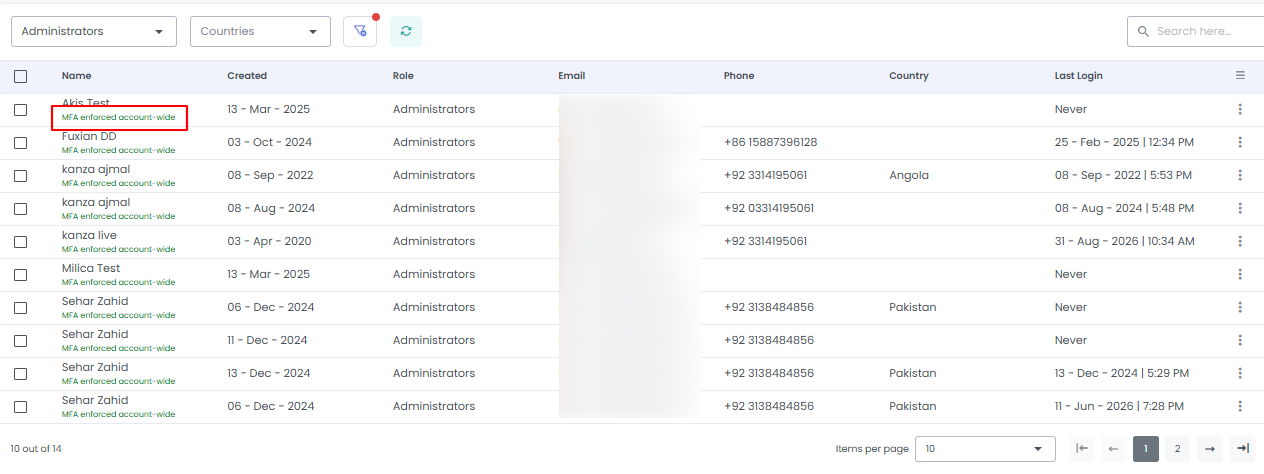
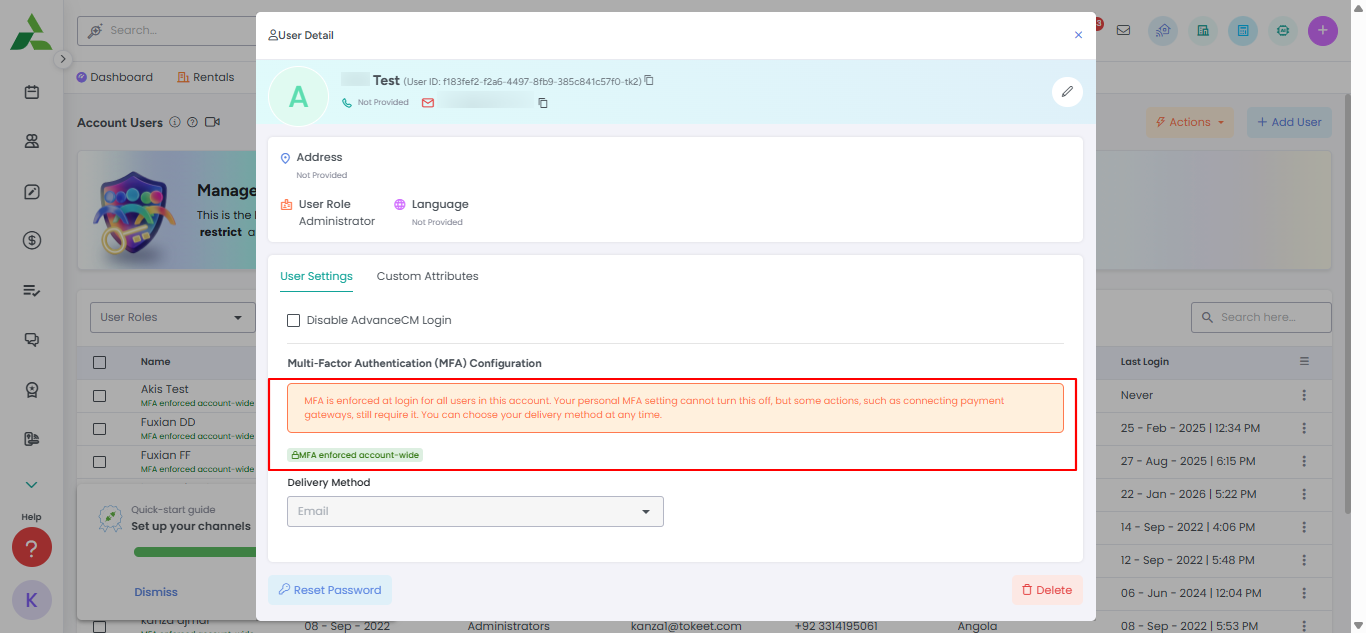
11- Improved: MFA Settings Messages

We’ve upgraded the messages displayed in MFA Settings to make account-level MFA status clearer.

When Account-level MFA is enabled, users will now see a clear message indicating that MFA is enforced at the account level.

12- Discounts and Fees in Inquiry Data Feeds

Discounts and Fees fields are now available in Inquiry Data Feeds.

These fields provide more complete pricing information for inquiries and make it easier to access and use discount and fee details through data feeds.

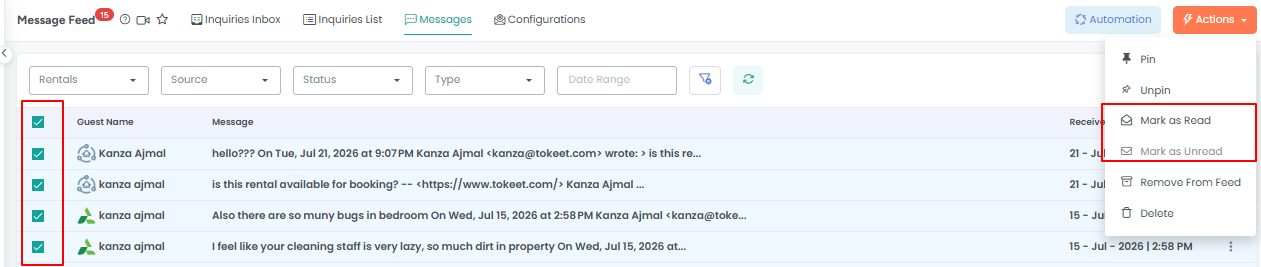
13- Bulk Mark Messages as Read/Unread

You can now mark multiple bookings as Read or Unread in bulk from the Messages tab.

Select multiple bookings and update their message status at once, making it easier to manage and organize large volumes of conversations.

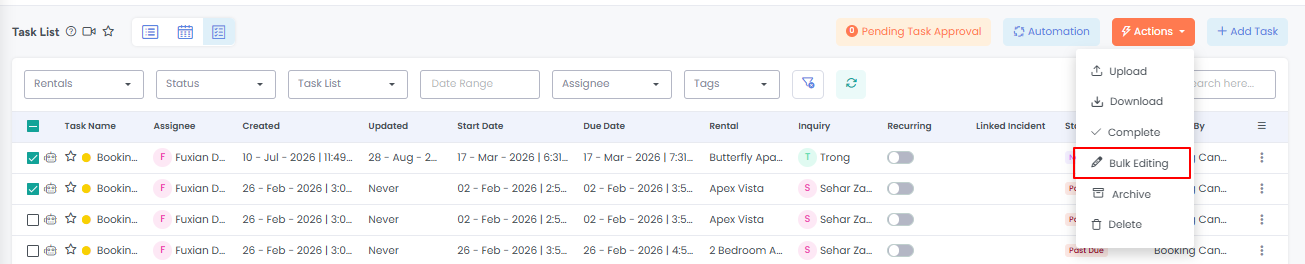
14- Bulk Editing in Tasks List View

You can now bulk edit tasks directly from the Tasks List View.

Select multiple tasks and update fields such as Name, rental, Assignee and many more fields.This makes it faster and easier to update multiple tasks at once, saving time when managing large task lists.

Marriott/HVMI Channel related updates

We’ve enhanced the HVMI–Marriott integration with improved support for booking fees, arrival-based charges, and detailed tax and fee breakdowns.

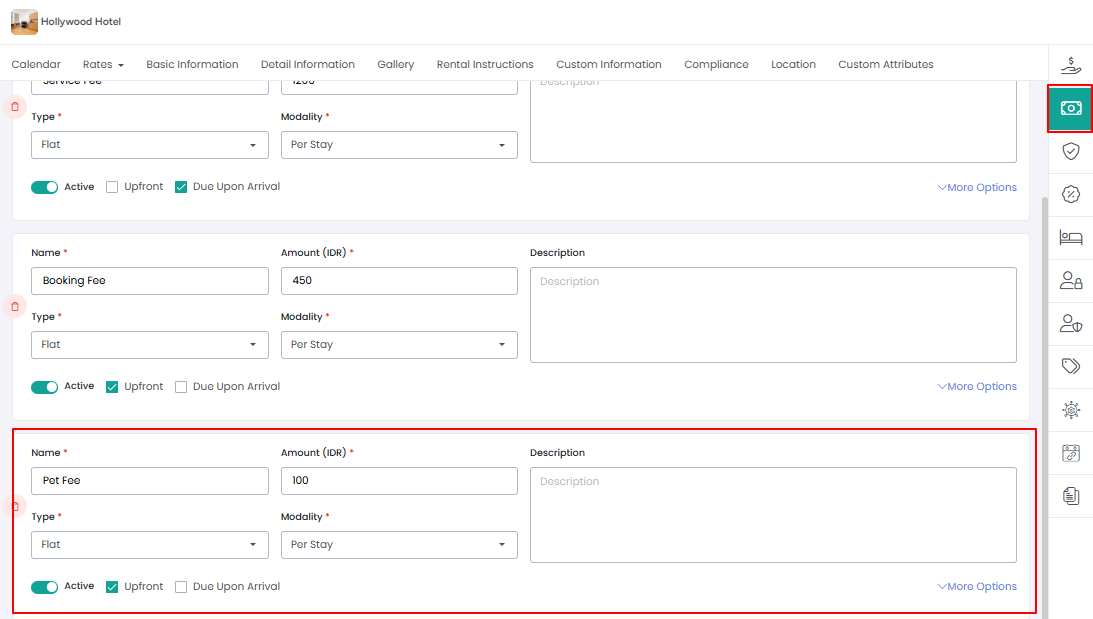
🐾 Pet Fee Support

Property managers can now add a Pet Fee as a booking fee and mark it as Upfront. The fee will be synced to Marriott, allowing guests to select the Pets Allowed option when making a reservation while ensuring the applicable pet fee is included per booking.

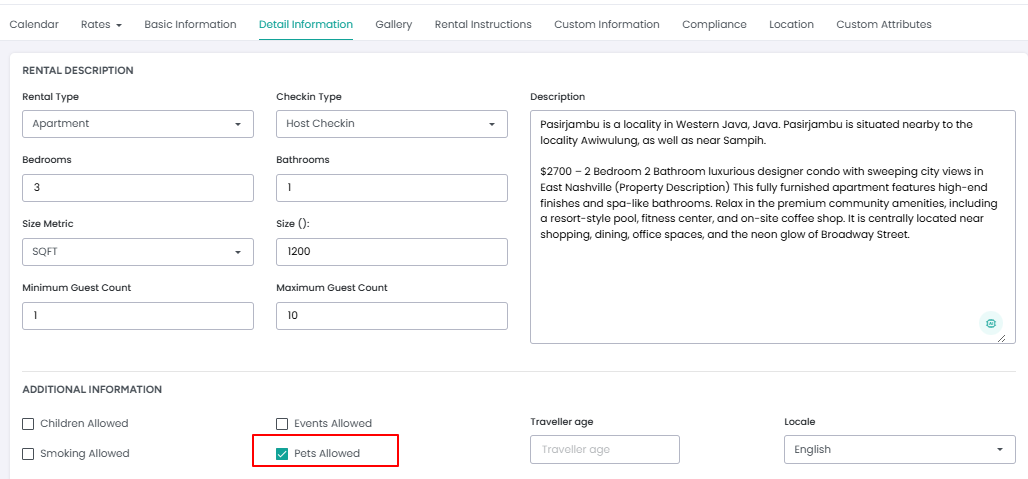
You must add Pets Allowed into Rental Details also

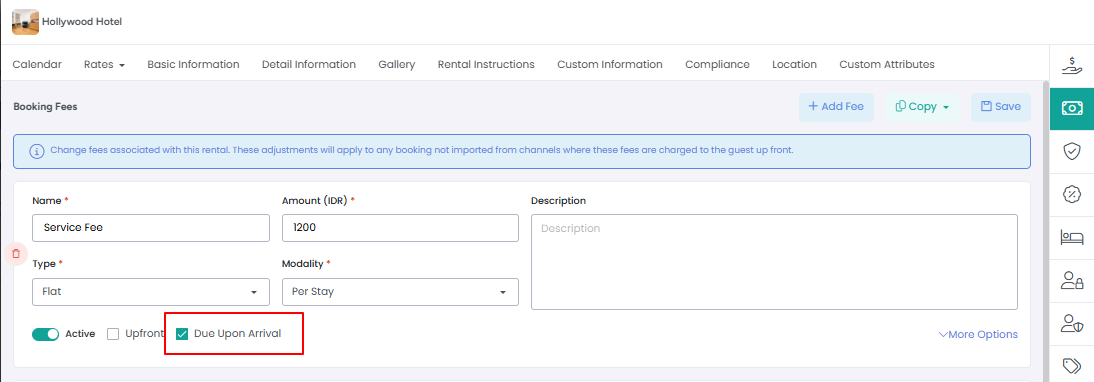
💳 Due Upon Arrival

A new Due Upon Arrival option is now supported for HVMI bookings.

This allows property managers to charge applicable booking fees upon the guest’s arrival instead of including them in the Booking Total.

🧾 Enhanced Tax & Fee Breakdown

The booking breakdown has been upgraded to provide a clearer and more detailed view of taxes and fees.

The Marriott booking breakdown has been adapted to support the new Taxes & Fees API structure, ensuring that upgraded tax and fee information is accurately reflected in AdvanceCM bookings.

August 2026 Improvements

Fixes

As part of our ongoing commitment to quality and responsiveness, we’ve addressed a number of issues reported by a few users in specific scenarios. These updates ensure a smoother, more reliable experience across the platform.

  1. [Websites] Fixed an issue where the "Mark as Favicon" and "Mark as Logo" checkboxes were not functioning correctly. This issue was reported by a few users.

  2. [Inquiries] Resolved an issue where the Inquiry Cost data dictionary returned the base charge instead of the total cost in certain scenarios reported by a few users.

  3. [VRBO] Fixed an issue where image quality validation errors were incorrectly removed, even when uploaded images did not meet VRBO's quality requirements. This issue occurred in specific scenarios reported by a few users.

  4. [WhatsApp] Fixed an issue where the custom phone number display name was not reflected as the sender, and the shared WhatsApp Business Account name appeared instead. This issue was reported by a few users.

  5. [Inquiries] Resolved a support issue where inquiries were not created when emails were sent to a rental's email address. This issue occurred in specific scenarios reported by a few users.

  6. [Booking.com] Resolved cancellation-related issues that occurred in specific booking scenarios reported by a few users, improving synchronization reliability.

  7. [Airbnb & Booking.com] Fixed availability synchronization issues that occurred in a small number of specific scenarios reported by a few users, improving calendar consistency across channels.

  8. [Trip.com] Fixed an issue where the Channel Details page did not automatically refresh after successfully connecting a property. This issue was reported by a few users.

  9. [Websites] Resolved an issue where the Rate Category was missing from the dropdown menu during Booking Engine creation. This issue occurred in specific scenarios reported by a few users.
  10. Delete tags option was not working in rentals module for a user account which is fixed now

  11. Some rental tags were not showing data on multi calendar, Problem is fixed for that specific user account.

Improvements:

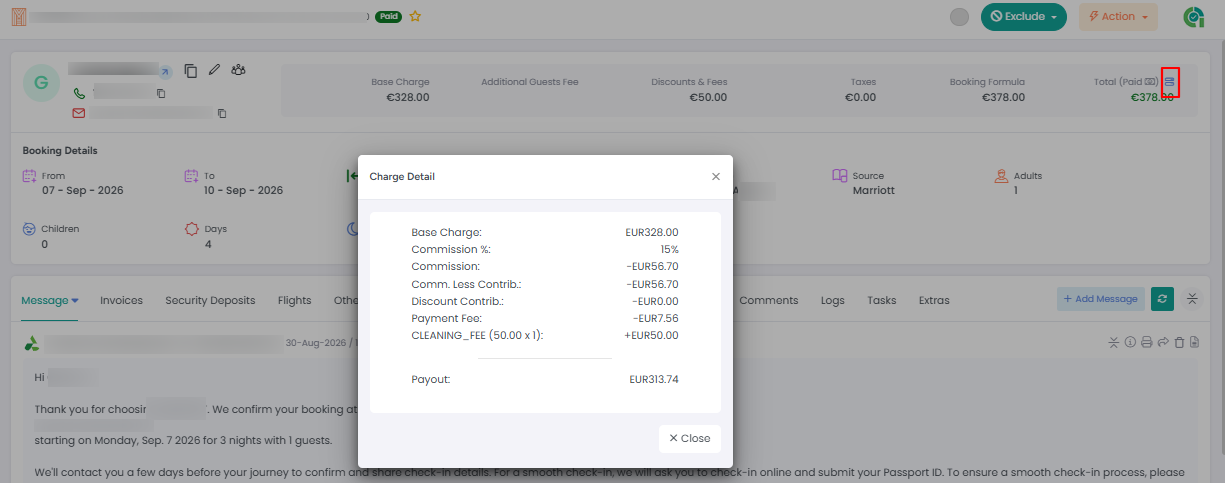
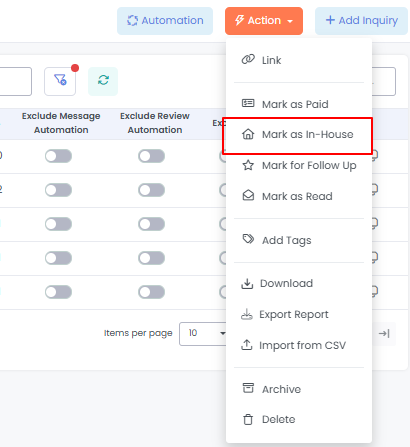
1- Added Manual " In-House" Status for Bookings

Bookings having their check-in time started will have the ability to be marked as In-house manually. This status can be updated manually only.

2- Support Airbnb Mobile Discount

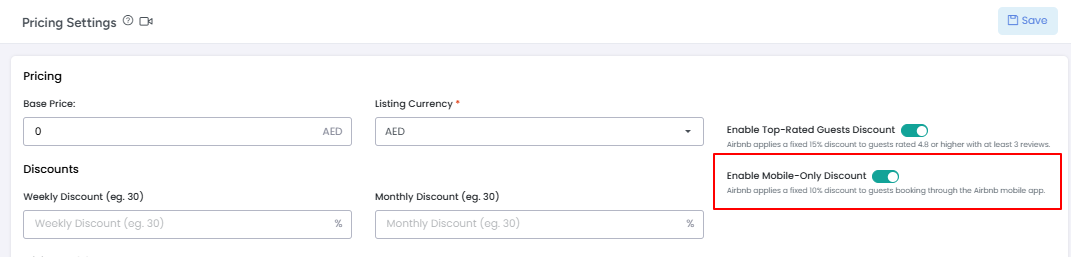
Mobile Discounts allow hosts to offer a 10% discount to guests exclusively on the Airbnb mobile app, capturing increased mobile demand.

  • Airbnb supports a Mobile-Only Discount promotion via Promotions API V2.

  • Promotion Type: MOBILE_ONLY_DISCOUNT

  • Discount Value: 10% (defined by Airbnb and not configurable)

  • Eligible Guests:

    • Guests who book through the Airbnb mobile application

3- Support Airbnb Top-Rated Guests Discount Configuration

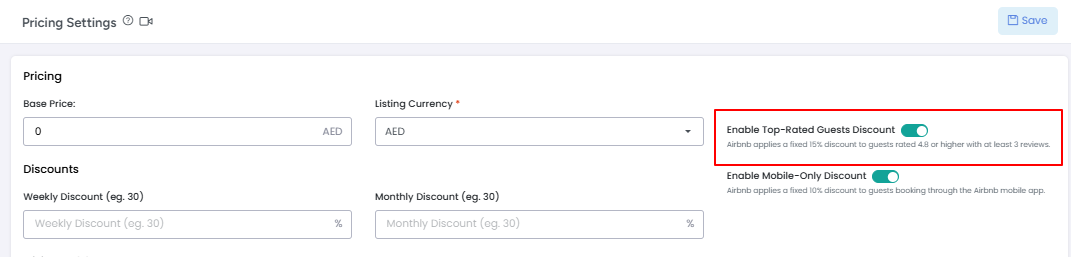
Airbnb has introduced a Top-Rated Guests Discount feature that allows hosts to automatically offer a 15% discount to guests who meet Airbnb's top-rated guest criteria.

AdvanceCM should support the ability to configure and sync this discount setting for Airbnb-connected listings.

Guests must:

  • Have an average rating of 4.8★ or higher

  • Have completed at least 3 reviews

When enabled:

  • Eligible Airbnb guests automatically receive the configured discount.

  • Discount settings remain synchronized between AdvanceCM and Airbnb.

  • Users can manage the setting directly from AdvanceCM without logging into Airbnb.

  • User can enable/disable Top-Rated Guests Discount.

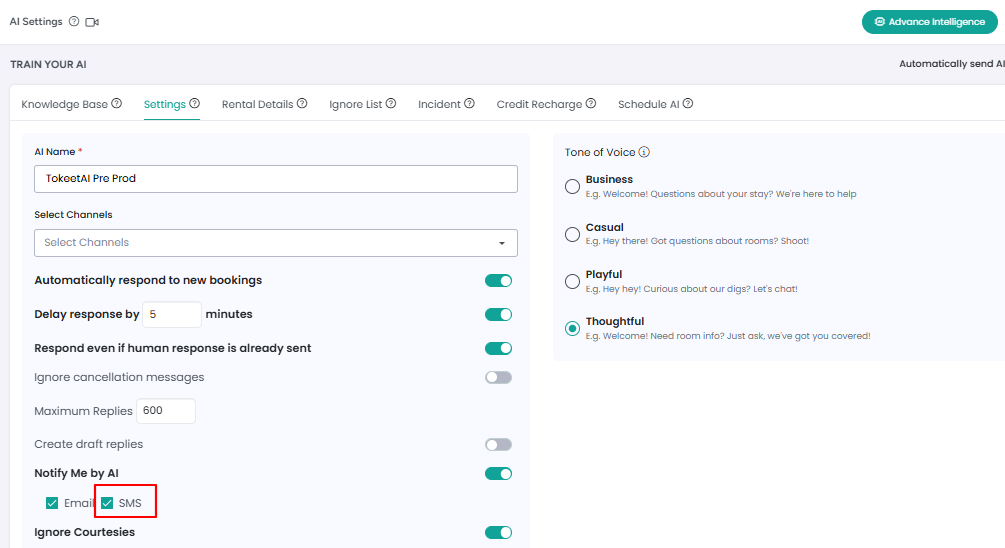
4- Implemented SMS feature in 'Notify me by AI' options to notify Property Manager in case of any claim or incident reported by guest.

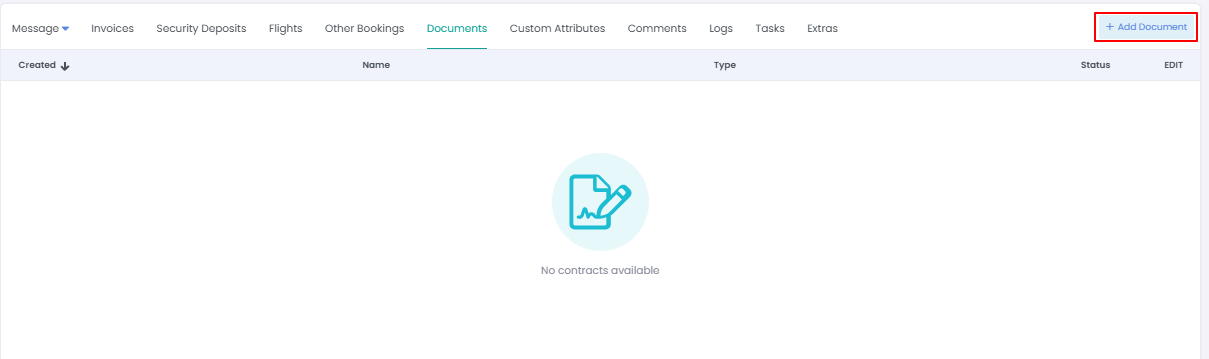
5- [Booking Detail Overlay] Introduced an "Add Document" button in the Booking Detail Overlay, allowing users to quickly upload and associate documents with a booking.

6- [Airbnb Cancellation Policies Update] Super_strict_30, super_strict_60 Airbnb cancellation Policies are deprectiated and no more valid in AdvanceCM.

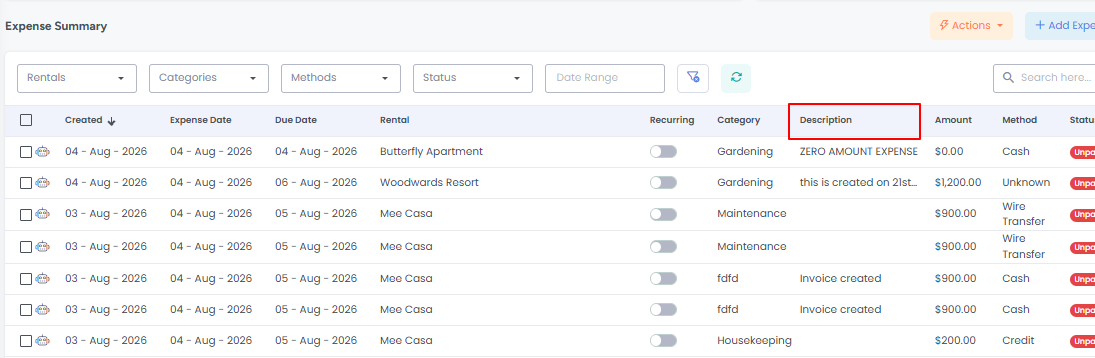
7- [Expenses List View] Added an Expense Description column to the Expenses List View, making it easier to identify and review expense records at a glance

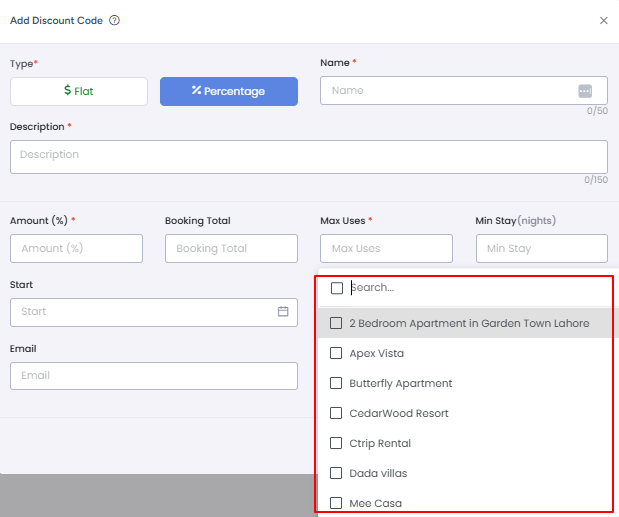
8-[Discount Codes] Property managers can now assign a discount code to multiple rentals, making it easier to create and manage promotions across multiple properties.

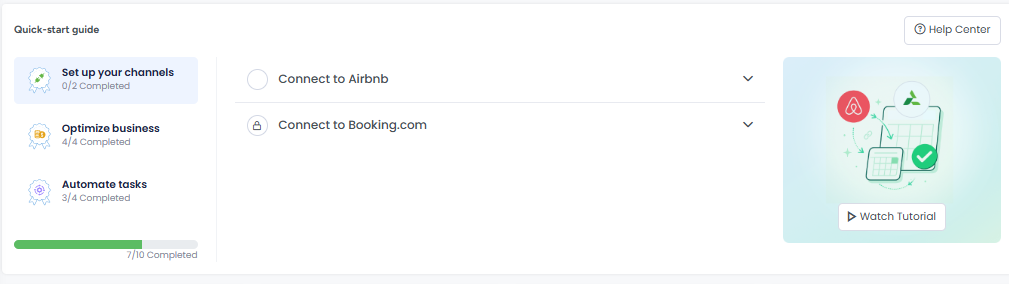
9- [Dashboard] Once onboarding steps are completed then automatically hide this section mentioned in below screenshot.

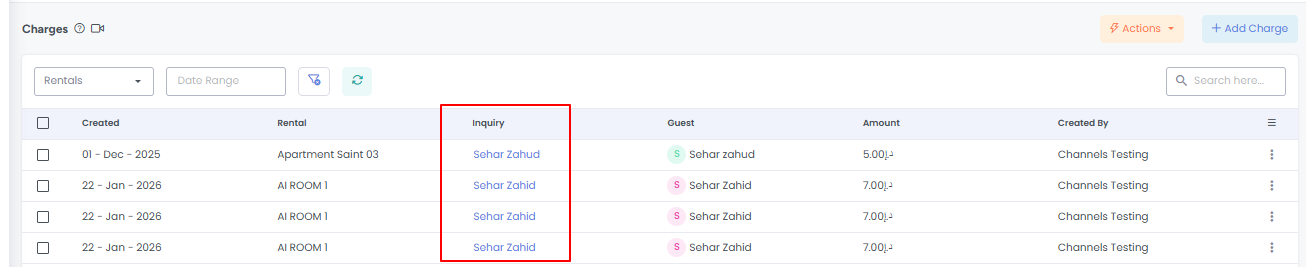
10-[Charges] Added an Inquiry column to the Charges module, allowing users to easily identify the associated inquiry for each charge.

Booking.com Upgrades

AdvanceCM has introduced several improvements to the Booking.com integration to enhance connection reliability and reduce the risk of double bookings. We have also improved the Booking.com Channel Connection Wizard, making the setup process more intuitive and helping users configure their connections correctly, ultimately reducing support queries and improving the overall onboarding experience.

1- Connection Error Banner on Channels List view:

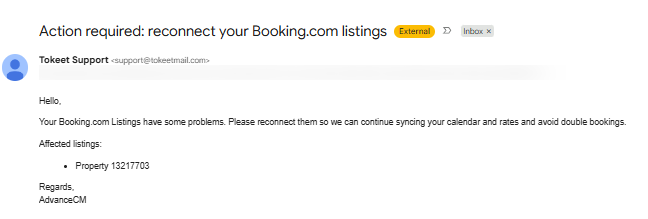
Channels list view will show a banner with a Reconnect button for those BDC listings which have any problem. Selecting Reconnect will attempt to reconnect all currently connected Booking.com listings. T

2- Double Booking Detection
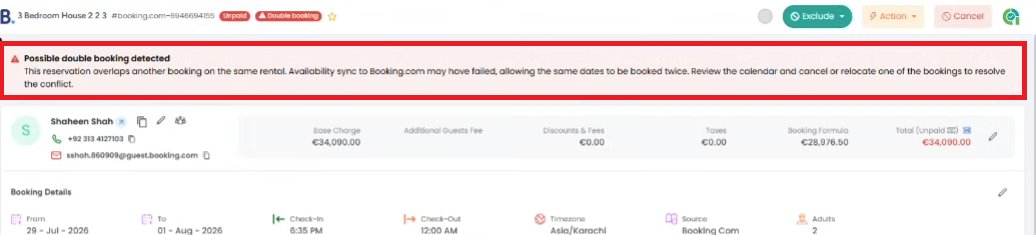
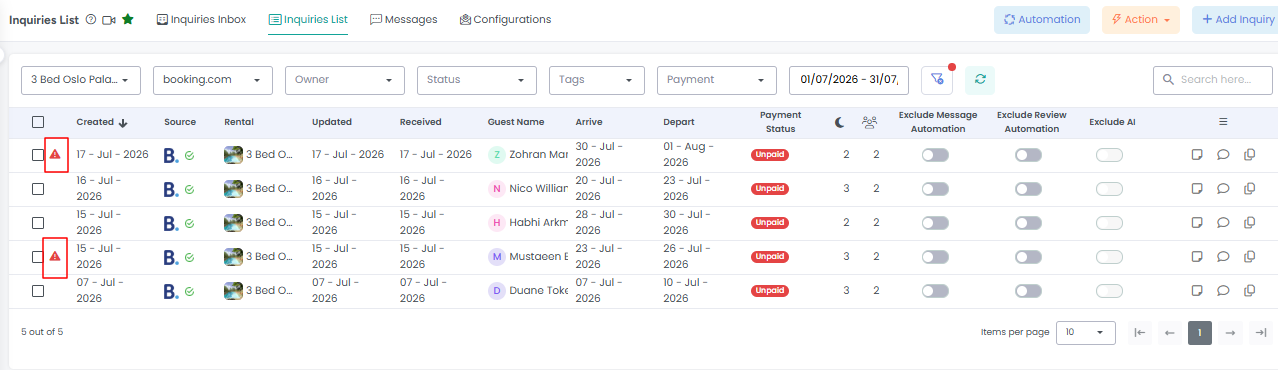
AdvanceCM now detects potential Booking.com double bookings by identifying overlapping booking dates for the same rental. When an overlap is detected, a double booking error message is displayed on the Inquiry Details overlay, and a red warning indicator appears in the Inquiry List view. This allows users to quickly identify conflicting reservations and resolve the issue by canceling the incorrect booking, helping prevent and manage common double-booking scenarios.

Also email will be sent to Admin user accounts about possible double booking threats containing property details.

3- Improved Connection Wizard Error Message

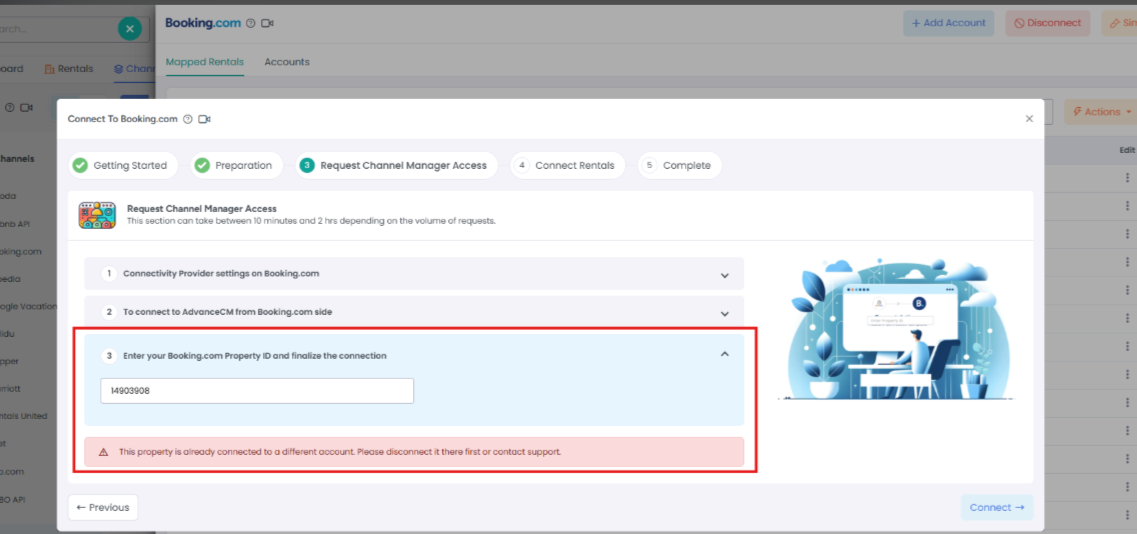
We’ve improved the Connection Wizard to display a clear and meaningful error message when a Property ID is already connected.

This helps property managers understand the exact reason why the connection cannot be completed, making troubleshooting easier and reducing confusion during the connection process.

4- Improved Rental Linking for Booking.com

We’ve improved the Rental Linking experience in the Booking.com Connection Wizard.

Once a rental is successfully linked:

  • Availability is pushed automatically

  • Booking Import is automatically scheduled.

  • Rate Push is automatically scheduled.

This eliminates the need for property managers to manually schedule these actions after linking a rental, making the Booking.com connection process faster and more seamless.

Learn more about this by clicking on this video url

July 2026 Improvements

Fixes

As part of our ongoing commitment to quality and responsiveness, we’ve addressed a number of issues reported by a few users in specific scenarios. These updates ensure a smoother, more reliable experience across the platform.

  • Booking Calendar: Fixed an issue where a booking overlap error continued to appear even after reservation dates were updated for a user account.

  • Airbnb Inbox: Resolved an issue where Arabic and Turkish Airbnb messages were not displaying correctly in the Inbox for some limited scenarios.

  • Booking.com: Fixed an issue where the guest count was incorrect for few imported Booking.com reservations.

  • Expenses: Resolved file upload issues when adding few attachments to expenses.

  • Airbnb Quality Dashboard: Fixed an issue where applied filters were not reflected in the listings view for one user account.

  • Tasks: Fixed an issue where tasks occasionally did not appear in the task list until users switched between status tabs.

  • Data Feeds: Removed the "None" option from the Rentals dropdown in Inquiry data feeds to simplify configuration.
  • Documents: Fixed an issue where automated documents displayed the sender's name instead of Automation.
  • Documents: Improved the mobile rendering of PDF-based document templates.

  • Messaging: Fixed an issue where links shared in Inbox messages were incorrectly prefixed with the AdvanceCM URL.

  • Integrations: Resolved a case sensitivity issue in Integration Search, allowing searches regardless of letter casing.

  • Localization: Fixed display issues affecting Arabic and Turkish special characters.

  • Zapier: Resolved an issue where Booking Confirmation automation trigger logs were not generated in a specific scenario.

  • Airbnb & Expedia: Corrected an issue where check-in and check-out times could display incorrectly for some reservations.

  • Website Booking Engine: Fixed an issue where website calendar availability was offset by one day for properties using the Hawaii time zone for one user account.

  • Website Booking Engine: Resolved an issue where the Book button was not functioning for certain websites.

  • Channels: Fixed an issue where the Custom Channel option was unavailable for some user accounts.

  • Inbox: Resolved an issue where SMS templates were not appearing for some users.

Improvements & features

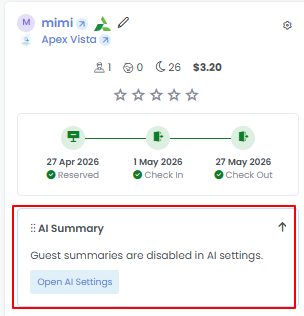
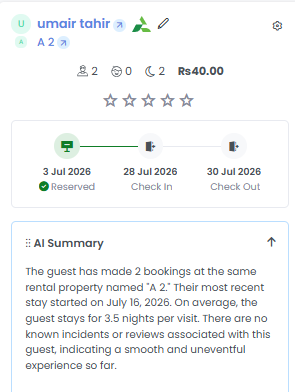
1- Inbox – AI-Powered Guest Summary

Inbox now includes an AI-generated Guest Summary to help you quickly understand guest context without leaving the conversation. The summary automatically analyzes available guest and reservation information to highlight key insights, enabling faster responses and better-informed guest interactions.
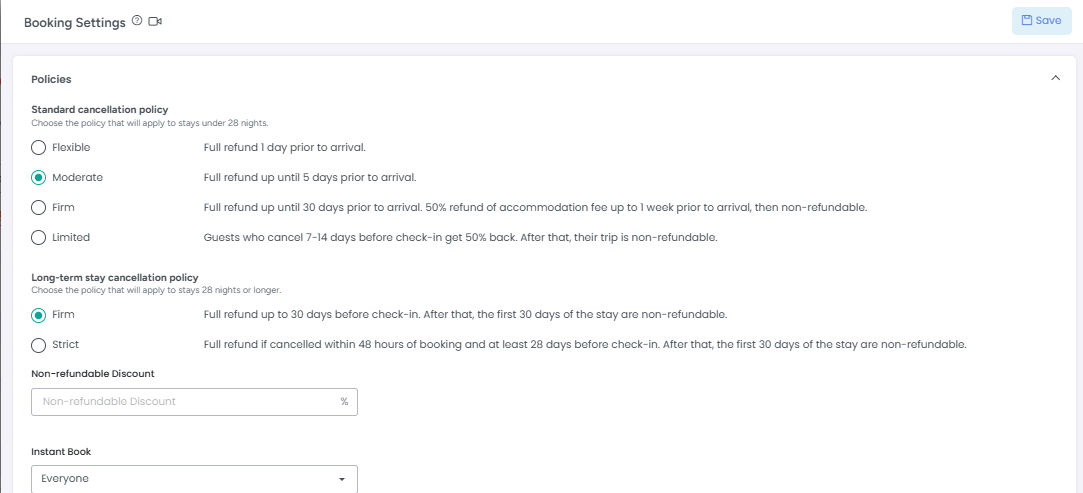
You can enable this feature from AI Settings.

Lear more about this feature here

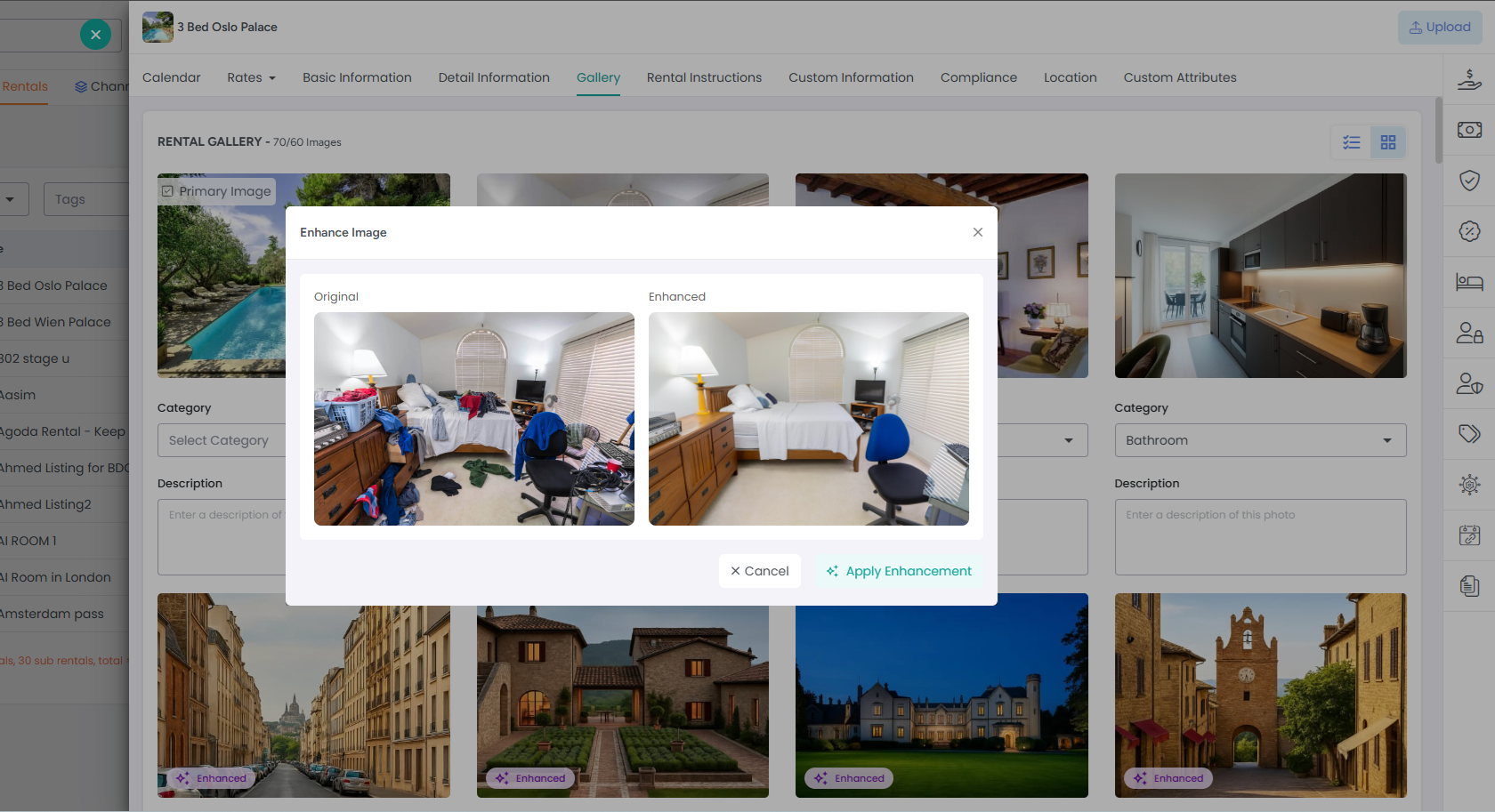
2- Rental Gallery Images Enhancer

We wanted to improve the visual quality of property photos in our vacation rental management SaaS without meaningfully altering the content of the images. Added an “Enhance” action in the listing photo manager.

  • User selects 1 image at a time → system generates an enhanced version

  • Show before/after preview with “Apply” and “Cancel”.

  • Store original + enhanced (original always preserved).

  • Allow revert to original at any time.

Learn more about this feature in this help article.

3- Security Deposit Autopilot

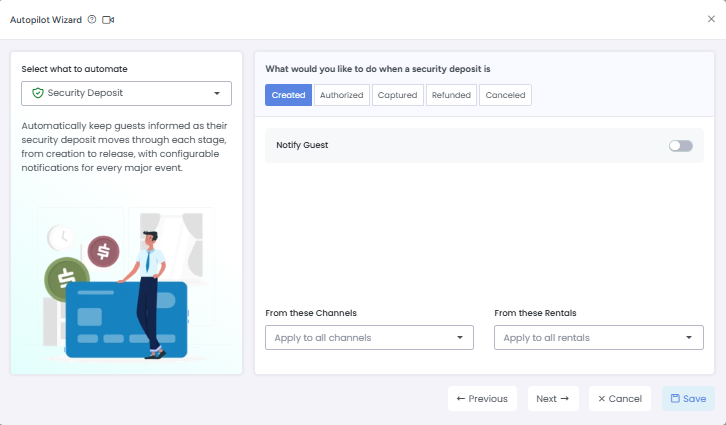
Security Deposit Autopilot has been enhanced to automatically notify guests throughout the security deposit lifecycle. Guests can now receive notifications when a security deposit is created, authorized, captured, refunded, or canceled. These event-based notifications help keep guests informed without requiring manual communication and can be configured directly within the Security Deposit Autopilot settings.

Learn more about this feature in this help article.

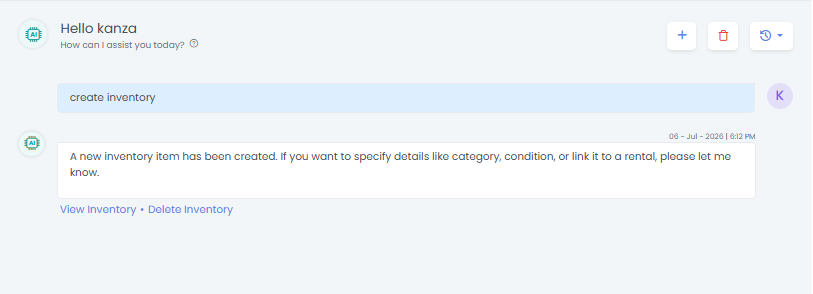
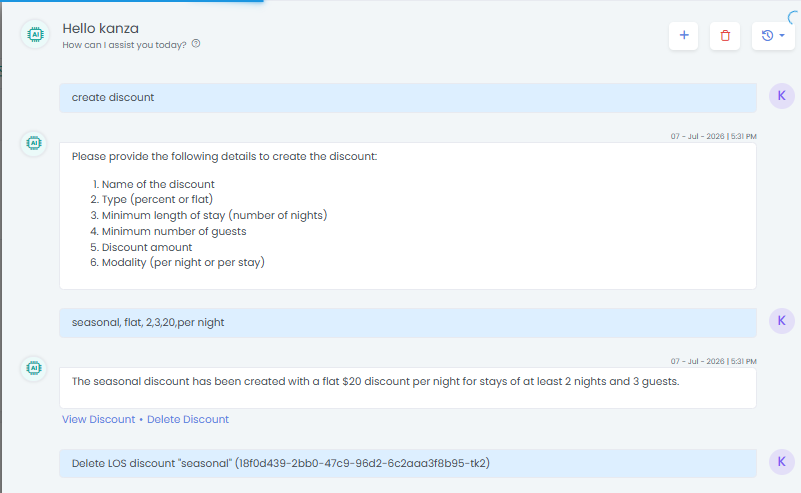
4- Upgraded AI Actions by adding support for following modules

  • Inventory Creation

  • Discount Creation

5- Expired Invoice Restriction
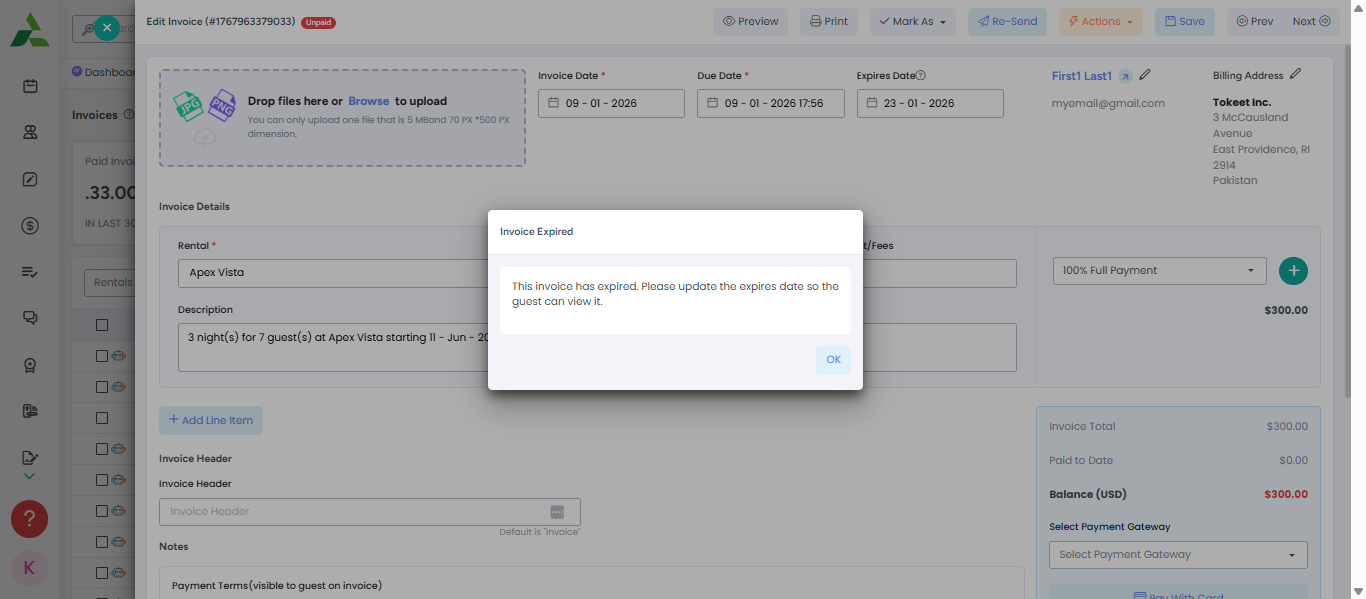
To prevent sending outdated payment requests, users can no longer send expired invoices to guests. Only active invoices are eligible for delivery.

June 2026 AdvanceCM Mobile Apps Improvements

Fixes

As part of our ongoing commitment to quality and responsiveness, we’ve addressed a number of issues and improvements reported by few users for Android and iOS both versions of AdvanceCM Mobile App:

  • [Mobile Apps] Booking Formula Visibility – Fixed an issue reported by a single user where the Booking Formula field was not appearing for users assigned the Owner role in specific scenarios.

  • [Mobile Apps] Multi Calendar Event Overlap – Resolved an issue reported in certain scenarios by few users where events were overlapping on the Multi Calendar view.

  • [Mobile Apps] Price Breakdown Visibility – Fixed an issue reported by a single user where the Price Breakdown button was not appearing for channel-related bookings in specific scenarios within the mobile apps.

We are continuously improving the AdvanceCM Mobile Apps and appreciate user feedback that helps us enhance the overall experience and stability of the platform.

June 2026 Improvements

Fixes

As part of our ongoing commitment to quality and responsiveness, we’ve addressed a number of issues reported by a few users in specific scenarios. These updates ensure a smoother, more reliable experience across the platform.

1- Guest Portal – When a guest had multiple bookings, the Guest Portal link sent from an earlier reservation was opening the latest booking instead of the selected reservation. This issue was reported by one user and has now been resolved.
2- ACM/Sympl Migration – In a specific scenario, the migration screen was displaying an incorrect price for Automations during ACM/Sympl migration. This issue has now been resolved.

3- Tasks – In some cases, task due times were being saved in GMT instead of the selected timezone during task creation. This issue has now been resolved.

4-Airbnb Bookings – In some cases, the guest total count in Airbnb bookings was incorrect for a user account only, which could impact tourist tax calculations. This has now been resolved.

5- [ABB Quality Dashboard] – A Bad Request error was occurring when filtering by Room ID in the Airbnb Quality Dashboard for a user. This issue has now been resolved.

6- Smart Devices – Multiple frontend improvements were implemented to prevent device duplication issues and enhance the UI, ensuring devices are displayed correctly under the accounts they are linked to.

7- Booking.com Properties – In some cases, users were unable to edit Booking.com-connected properties due to a connection issue with Booking.com. This issue has now been resolved.

8- Channels – In some cases, checkboxes in channel listings were not selectable and caused the page to become unresponsive. This issue was reported by a few users only and has now been resolved.

9- [Airbnb Channel] Fixed an issue where Airbnb emails were failing to send when both Main Host and Co-Host were connected. The issue was reported for a single user and has now been resolved. Airbnb messaging is now working correctly for multi-host setups

10- [VRBO Listing Issue] Fixed an issue where search based on Rental name was not working for VRBO listings for a user's specific listing only. The issue has now been resolved and rental search functionality is working correctly for VRBO properties.

11- [BDC Listing Error] Fixed an error occurring on BDC Edit Listing caused by a temporary Booking.com (BDC) outage. The issue has now been resolved and the edit listing functionality is working normally again.

12- [Airbnb Access Token Messaging Failure] Fixed an issue where Airbnb messages were failing due to missing access tokens, particularly affecting Automata workflows. The issue was reported by a few users only and was caused by disconnected Airbnb accounts, which has now been resolved. Messaging is now working correctly after restoring proper account connections.

Improvements & features

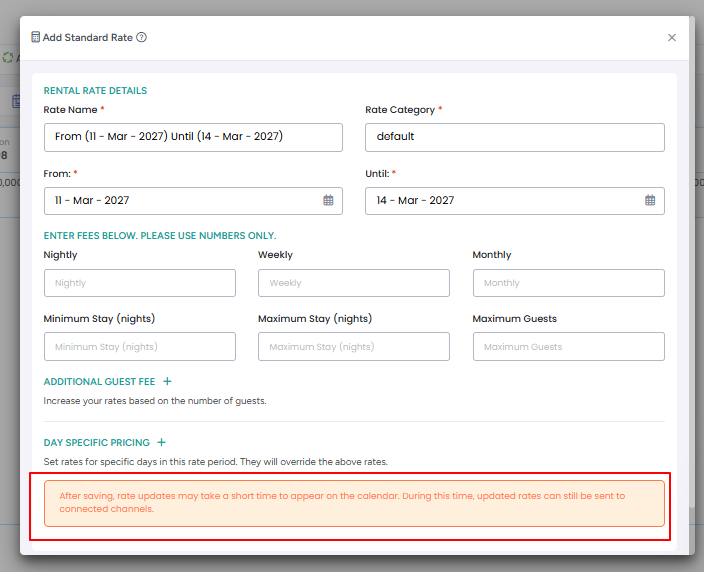
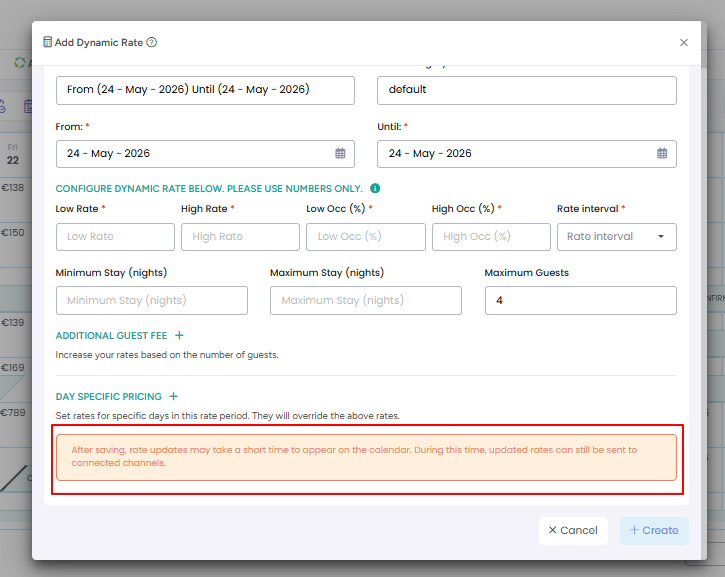
1- Rates – Messaging has been added to the Create Rates popup for both Standard and Dynamic rate creation flows to improve clarity and user guidance during setup.

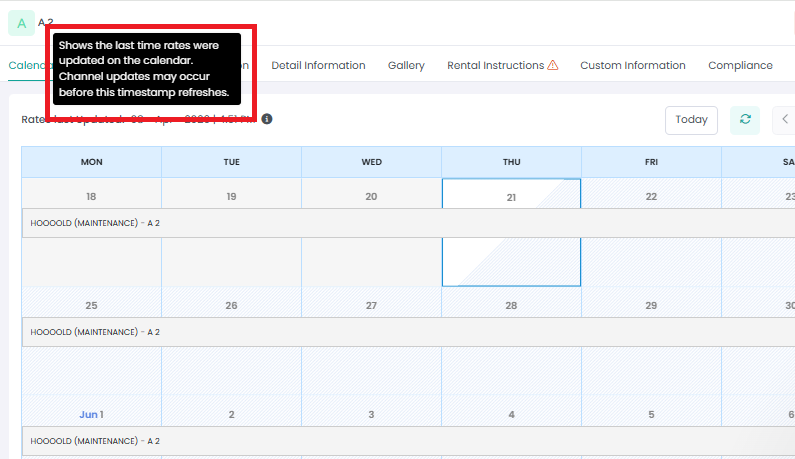
2- Rates last Updated date field has a new tooltip now.

  • The tooltip provides additional context and clarity about when and how the rate information was last updated.

  • Helps users better understand the freshness and accuracy of displayed rate data.

3- VRBO Amenities Mapping Update

Based on the VRBO-filtered Rental Details audit, several amenities previously missing or not enabled have now been updated and correctly mapped for VRBO distribution.

Newly Added & VRBO-Enabled Amenities

The following amenities were previously marked as “not available in list” and are now added to the system and enabled for VRBO:

  • Baby Monitor

  • Travel Crib

  • Ice Maker

  • Refrigerator

  • Stove

  • Dining Table (Dining Area)

  • Kitchen Island

  • Books (mapped as Entertainment Books)

  • Books for Kids

  • Living Room

  • Computer Monitor

  • Desk Chair

  • Carbon Monoxide Detector

  • Deadbolt Lock

  • First Aid Kit

  • Fire Extinguisher

Previously Available but Now VRBO-Enabled

The following amenities were already available in the system but were not enabled for VRBO. They are now properly mapped and activated:

  • Hair Dryer

  • Iron & Board (mapped as Clothes Iron / Ironing Board)

  • Coffee Maker

  • Dishwasher

  • Microwave

  • Oven

  • Child’s Highchair (mapped as Dining Highchair)